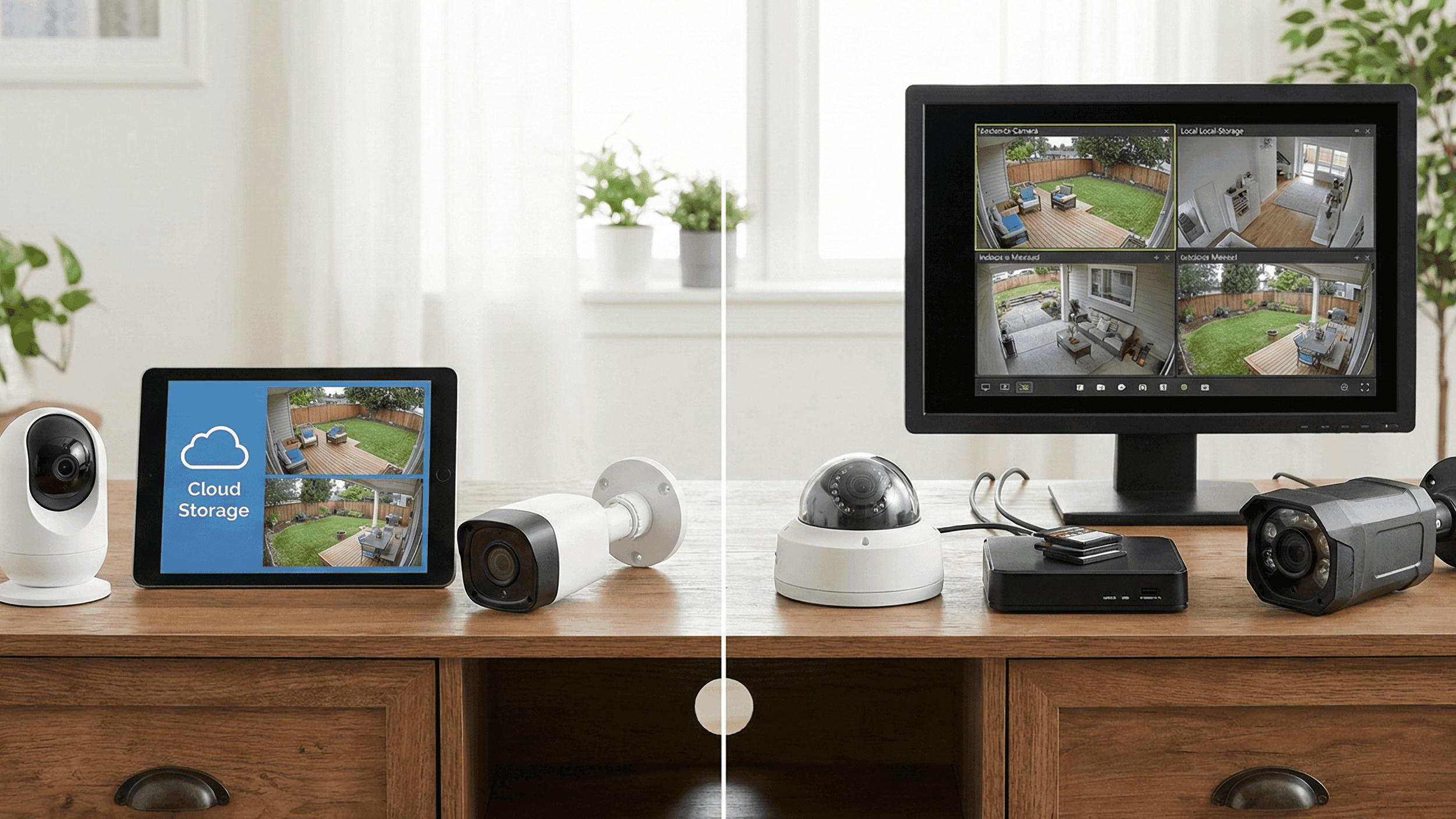
Wi‑Fi Cameras vs Local‑Storage Cameras: What I’d Pick Now After Trying Both
When I bought my first smart camera, I thought the choice was simple: mount it, connect it to Wi‑Fi, and I’m done.
Then the free trial ended.
Suddenly I was looking at monthly cloud fees, slow video playback, and the uncomfortable realisation that all the footage from my front door lived on someone else’s servers. That pushed me into trying cameras with local storage (SD cards, NVRs, NAS, all the offline stuff). That solved some problems… and created new ones.
After a few years of jumping between both worlds, here’s how I see Wi‑Fi cloud cameras vs local‑storage cameras today, and which I’d pick for different situations.
1. What We’re Actually Comparing
To keep things simple:
-
Wi‑Fi cloud cameras
Small cameras that connect to your home Wi‑Fi and send video to the brand’s cloud. You view and store clips through their app. Often require a subscription if you want history, not just live view. -
Local‑storage cameras
Cameras that record to:- microSD cards inside the camera, or
- a local recorder (NVR/DVR/NAS) sitting in your home.
Footage stays on your own hardware. You might still view it via an app, but the storage is yours.
Some cameras can do both – upload important clips to the cloud and record locally. That “hybrid” style is usually the most flexible, but let’s understand the extremes first.
2. Living With Wi‑Fi Cloud Cameras
What They Do Really Well
1. Easy to set up
Most cloud cameras are made for regular users, not network nerds.
- Scan a QR code
- Join your Wi‑Fi
- Log into the app
…and you’re streaming. No port‑forwarding, no router rules, no messing with IP addresses.
2. Access From Anywhere, Anytime
As long as:
- Your camera has power
- Your internet is working
- And your subscription is active
…you can open the app and see live video, scroll through recorded clips, or share a link if something happened. No need to worry about your home upload speed when you’re away; the heavy lifting is already done.
3. Camera Theft Doesn’t Kill Your Evidence
If someone steals or breaks the camera, the important clips are already saved in the cloud. You don’t lose everything along with the hardware.
4. No Storage Box To Maintain
You don’t need a separate recorder buzzing away in a cupboard. The camera and the cloud handle storage between them.
The Parts That Get Annoying
1. Subscriptions Add Up
The classic story:
- First camera: “It’s only a few dollars a month, fine.”
- Third or fourth camera: suddenly you’re paying a respectable chunk every year just to keep footage.
If you cancel, you often lose older recordings and sometimes even useful features like person detection.
2. Internet Dependency
No internet = no recording in many cloud‑only setups.
Even if the camera technically can buffer a bit, serious internet outages mean gaps in your history. If your connection is unstable, relying only on cloud is risky.
3. Privacy And Trust
You have to be okay with:
- Video from your home travelling to someone else’s servers
- Their security practices
- Their business decisions (price hikes, shutting down services, etc.)
If you’re sensitive about who sees footage of your front door, balcony, or inside rooms, this matters.
3. Living With Local‑Storage Cameras
Here we’re talking about two common setups:
- Cameras recording to SD cards in each unit
- Cameras feeding into a local recorder (NVR/DVR/NAS) in your home
What They Do Really Well
1. One‑Time Cost, Not a Lifetime Subscription
You buy:
- The camera
- The SD card or recorder
…and that’s it. No monthly bills just to keep old footage.
2. Works Even When Internet Dies
As long as the camera and recorder have power, they keep recording. No dependence on your ISP’s mood.
3. More Control Over Your Data
Your footage sits on your card, disk or NAS. You decide:
- How long to keep it
- Whether to back it up
- Who can access it
This is a big mental relief if you’re not comfortable with third‑party clouds.
The Parts That Bite Back
1. If Someone Steals The Camera, They Take The Footage
For SD‑only cameras, this is the classic problem: intruder grabs the camera, and your evidence leaves with them. A hidden recorder helps, but that’s an extra box to protect.
2. Storage Fills Up
- A 64 GB or 128 GB card seems big… until you record 24/7 at 1080p or 2K.
- When it fills, the camera overwrites oldest footage. If you don’t check regularly, the clip you needed may already be gone.
With a local recorder, you have more space but you still need to watch disk health and capacity.
3. Remote Access Isn’t Always Plug‑And‑Play
Some modern systems give you easy app access to local recordings. Others need:
- Port forwarding
- Dynamic DNS
- Or some cloud “bridge” anyway to punch through your home network
If you’re not comfortable tinkering, this can be frustrating.
4. Real‑World Scenarios: Which One Wins?
Scenario A: Small Apartment, One or Two Critical Spots
Example: You want a camera at the entrance and maybe one watching the living room window.
What worked best for me: Cloud‑first cameras with at least a bit of local storage.
Why:
- Setup takes minutes, not hours.
- Cloud clips help if something happens while you’re not home.
- A microSD card gives you a backup if Wi‑Fi drops briefly.
If monthly cost for multiple cameras worries you, pick one really important spot for a cloud plan (like the main door) and keep the second camera local‑only.
Scenario B: Unreliable Internet, But You Still Want Evidence
Example: Internet cuts, spotty Wi‑Fi, or you simply don’t trust the ISP.
What worked best: Local‑storage cameras with a hidden recorder or big SD cards.
Why:
- Cameras keep recording regardless of internet status.
- You can still view playback when you’re home.
- For important incidents, you manually export clips to your phone or laptop.
This setup trades some remote convenience for reliability. For many people, that’s a good trade.
Scenario C: You Care Deeply About Privacy
Example: You want cameras inside the house (nursery, living room) but hate the idea of cloud footage.
Best choice: Local‑only recording, optionally on a home server/NAS you control.
- No external cloud accounts needed.
- All footage remains on devices you own.
- You can even firewall them off from the wider internet and only allow access on your internal network.
This is the “paranoid but safe” route – more work to set up, but maximum control.
Scenario D: Travel Often, Need Easy Access From Anywhere
Example: You’re away for weeks or months and want to check in on home quickly.
Best choice: Cloud‑connected Wi‑Fi cameras with strong accounts and 2FA.
- Quick notifications if something moves or someone rings the bell
- Easy sharing of clips with neighbours or family if they’re helping you check the place
- No need to remote into your home network
Here, convenience beats storage purism. Just treat your account like you would an online bank: strong password, two‑factor, and a bit of common sense.
5. The Hybrid Setup: Honestly, This Is Where I Ended Up
After trying pure cloud and pure local, the most balanced setup for me looked like this:
-
Front door / main entrance:
Cloud‑enabled camera with local SD. Important events go to the cloud; if internet dies, the SD card still has the footage. -
Interior cameras (if any):
Local‑recording only, either to SD or to a local recorder. No cloud, for privacy. -
Account security:
Two‑factor on all camera accounts, unique strong password, and no sharing logins casually.
This way:
- I don’t pay for a dozen subscriptions.
- I still have proper off‑site clips for the most critical angle.
- If someone steals a camera, they don’t erase all the evidence.
- If the internet cuts, cameras keep working.
6. Questions To Ask Yourself Before Buying Anything
Instead of starting with “Which brand is best?”, ask these:
-
How stable is my internet?
- If it’s flaky, don’t rely on cloud‑only recording.
-
How much do I care about someone else storing my footage?
- If that thought makes you uncomfortable, lean toward local or hybrid.
-
Am I okay paying a subscription every month?
- If not, favour local storage, or at least limit cloud cameras to one or two key spots.
-
Where will the camera be mounted?
- Easy‑to‑reach cameras are easier to steal. For those, cloud storage is safer.
- Hard‑to‑reach or indoor units can use SD cards more safely.
-
Do I need quick access when I’m away a lot?
- If yes, cloud is hard to beat for convenience.
What I’d Pick Now, If I Were Starting From Scratch
-
For most people in apartments:
- One good, cloud‑connected Wi‑Fi camera for the main entry (with SD as backup).
- Everything else, if needed, recording locally.
-
For people with shaky internet or strong privacy concerns:
- Local‑storage cameras feeding an NVR or NAS, with no cloud at all.
- Optionally, manual backup of important clips to a private cloud or drive.
-
For frequent travellers who want easy remote access:
- Mostly cloud cameras, but only from brands that support local storage too and have good security features.
The big lesson: you don’t have to be “team cloud” or “team local”. Pick what makes sense per camera, per location. Mix and match. Just make sure you understand where your footage is going, who controls it, and how much that peace of mind costs you over time.


