Answer The Door From Anywhere: A Guide to Video Doorbells

I missed three deliveries in two weeks before I bought a video doorbell. The driver would ring, I would not hear it from wherever I was in the apartment, and I would find a missed delivery card wedged in the door when I came home. For one of those packages I had been home the entire day and still missed the knock. The notification anxiety of waiting for something important and not knowing whether you missed it while in the shower is a specific kind of frustration I suspect many people will recognise.
A video doorbell solved that specific problem immediately and turned out to be useful in ways I had not anticipated. This is the guide I would have wanted before I bought my first one.
What a Video Doorbell Actually Does
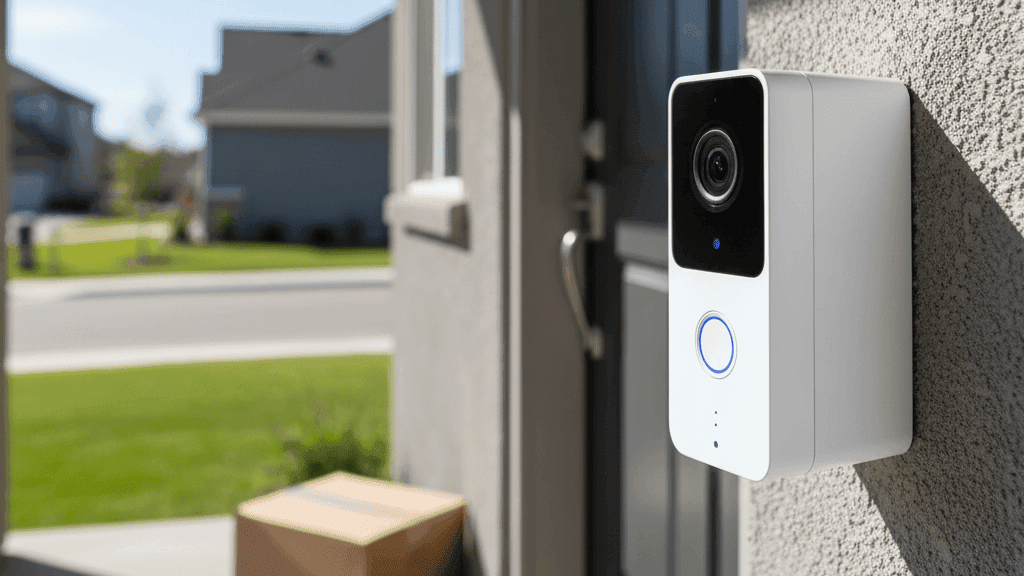
A video doorbell replaces or supplements your existing doorbell with a camera, a microphone, a speaker, and a motion sensor. When someone presses the button or when the motion sensor detects someone approaching, it sends a notification to your phone. You open the app and can see who is there, speak to them through the speaker, and hear their response through the microphone. All of this happens whether you are in the next room or on the other side of the world.
The camera records a clip of whoever triggered the doorbell or the motion sensor, which you can review later. Depending on the model and whether you have a subscription, you can access a history of who has been at your door over the past days or weeks.
Beyond the obvious delivery management use case, the feature that most people find unexpectedly valuable is the motion detection coverage of the area immediately outside the front door. You get notified when someone approaches even before they ring. That footage captured before anyone presses a button is often more useful than the doorbell press itself, particularly for recording the approach of someone who then leaves without ringing.
Wired Versus Battery-Powered
This is the first decision and the one that shapes everything else.
Wired video doorbells connect to your existing doorbell wiring and draw power from it. The advantage is that you never need to charge a battery, which means the camera can maintain a constant connection and record more continuously. Wired doorbells also typically have faster response times because they do not have to wake from a sleep state when someone approaches. If your home has existing doorbell wiring and you own the property, a wired doorbell is worth the slightly more involved installation.
Battery-powered video doorbells require no wiring and can be installed in about fifteen minutes with basic tools or adhesive mounting hardware. This makes them the practical choice for renters, for homes without existing doorbell wiring, and for anyone who wants the easiest possible installation. The trade-off is that you need to recharge the battery periodically, typically every one to three months depending on how many events the doorbell captures, and the doorbell may be slightly slower to respond to motion than a wired equivalent.
For renters specifically, battery-powered doorbells with no-drill mounting options are the obvious choice. Ring, Eufy, and Arlo all make battery doorbells that include or sell mounting brackets that use industrial adhesive rather than screws. These hold securely and remove cleanly when you move out.
The one thing that wired doorbells have by default and battery-powered doorbells may not is an audible chime inside your home when someone presses the button. Wired doorbells connect to your existing chime. Battery doorbells need either a separate plug-in chime unit or you rely on phone notifications. For most people, phone notifications are sufficient, but if you want an audible sound in the home, check whether the model you are considering includes or sells a compatible chime unit.
The Subscription Situation
Video doorbells follow the same subscription model as security cameras: the hardware works for live view and real-time notifications without a subscription, but accessing recorded clips from earlier requires either a cloud subscription or local storage.
The difference between doorbell brands in terms of what you get without a subscription is significant and worth checking before committing to a brand.
Ring offers thirty days of clip history with the Ring Protect Basic plan, which costs a few dollars per month per device. Without a subscription, you get live view and basic alerts but no recorded clips from any moment other than the current one. Ring's wiring and ecosystem integration are strong, but their free tier is genuinely limited.
Eufy doorbells include local storage in the doorbell itself and allow you to access recorded clips without a subscription. Events are saved to the doorbell's internal storage and viewable in the app. This is the most practical approach for people who do not want ongoing fees but still want a footage history.
Arlo offers a generous free tier that includes thirty days of cloud storage for a limited number of cameras, which may cover a single doorbell without requiring a subscription. Their hardware quality is high and the image quality is among the best in the category.
Google Nest doorbells require a Nest Aware subscription for any footage history, and the subscription is priced accordingly. The integration with Google Home and Google Assistant is seamless if you are in that ecosystem, and the hardware quality is excellent, but the ongoing cost is higher than alternatives.
Image Quality and Features That Matter
Resolution in video doorbells follows the same logic as security cameras: 1080p is sufficient for most purposes. The more practically useful specification is the aspect ratio of the image. Standard cameras produce a widescreen image. Video doorbells mounted vertically need to capture both the face of whoever is at the door and the packages they may have left on the ground. Doorbells with a taller, more square image ratio, which Nest and Eufy both offer in some models, capture more of this vertical field of view and are noticeably more useful for delivery monitoring.
Wide dynamic range, sometimes abbreviated HDR, affects how well the camera handles scenes where part of the image is very bright and part is much darker. A person standing in front of a bright doorway or with the sun behind them can appear as a silhouette against an overexposed background without good dynamic range handling. Cameras with effective HDR produce a more balanced image where both the bright exterior and the person's face are visible simultaneously.
Night vision is essential. Motion happens at all hours and footage taken in the dark is frequently the most important footage to have. Infrared night vision produces a reliable black-and-white image. Color night vision, where a small supplemental light illuminates the area, allows a color image at night that can be useful for identifying clothing or vehicle color.
Two-way audio quality varies more between models than specifications suggest. The best way to assess this is through user reviews that specifically mention audio quality rather than relying on the presence of the feature on the spec sheet.
What to Consider About Placement
Video doorbells work best when positioned at face height for an average adult standing at the door, which is typically around 1.2 to 1.5 metres from the ground. Too high and the camera looks down on visitors and captures mostly the top of their head. Too low and the field of view may miss faces entirely.
The field of view should cover the approach path to your door, not just the door itself. Motion detection that captures someone approaching from several metres away gives you more time and more context than detection that only triggers when they are already pressing the button.
Direct sunlight hitting the lens causes problems with glare and overexposure. If your entrance faces into direct sun at certain times of day, check reviews specifically for how that model handles glare before buying.
For renters mounting a battery doorbell with adhesive hardware on a wall that is not perfectly vertical or where the angle does not naturally point the camera at the correct approach angle, most systems include a wedge mount or angled bracket that lets you adjust the horizontal angle of the camera without re-mounting the adhesive base.
Whether It Is Worth Having
The use cases that a video doorbell serves well are specific enough that it is worth being honest about whether they apply to your situation.
If you receive frequent deliveries and missing them is a genuine inconvenience, a video doorbell is immediately and obviously useful. You see when deliveries arrive, can communicate delivery instructions to drivers, and have a record of what was left and when.
If you live in a building with a shared entrance where the doorbell is not immediately outside your own door, a doorbell camera may not be the right tool. A security camera positioned to cover the relevant area may serve you better.
If package theft is a concern in your area, the footage a video doorbell provides has both deterrent value and evidentiary value if theft does occur. The coverage of the approach to your door rather than just the moment of a button press is what makes this useful, since the approach is when theft happens.
If you travel frequently and want to be able to see and speak to whoever comes to your door from anywhere, a video doorbell provides that capability with less complexity than a full camera system.
For anyone in these situations, a battery-powered video doorbell from Eufy or Ring is a practical first smart security device that works reliably and provides immediate, tangible value from the day you install it.
I installed my first video doorbell about two years ago and have not missed a delivery since. The notification is reliable enough that I trust it, which is the actual standard any smart home device needs to meet to be worth keeping.

