Using Presence Detection So Your Home Reacts When You Walk In

For the first year of my smart home setup, everything ran on schedules. Lights at 7 PM, AC off at midnight, fan on at 9. It worked fine as long as my life stayed predictable. Then I started working irregular hours, spending evenings out more, occasionally not coming home until well past when the lights had already gone through their whole routine for an empty apartment.
The problem with schedules is that they assume you will be where you are supposed to be when you are supposed to be there. Real life does not cooperate with that assumption consistently. A home that runs its evening routine regardless of whether anyone is in it is not actually smart. It is just automated.
Presence detection is what bridges that gap. It is the difference between a home that follows a clock and a home that follows you. Setting it up properly took me longer to figure out than most other parts of my smart home, and it is the area where I see people struggle most, so I want to explain how it actually works and how to build something reliable without making it more complicated than it needs to be.
What Presence Detection Is Actually Trying to Do
At its most basic level, presence detection is trying to answer two questions: is anyone home right now, and if yes, who?
The first question powers the most useful automations: turning things off when everyone leaves, turning things on when someone arrives, switching the home into night mode when everyone is asleep. The second question adds finer control: different people have different preferences for temperature and lighting, and some automations should only run for specific people.
You do not need to answer both questions with perfect accuracy to build something genuinely useful. A reliable answer to just the first question, is anyone home or not, is enough to make your smart home feel significantly more responsive and efficient than a schedule-only setup.
The Signals You Can Use
No single signal gives you a perfect answer to the presence question. The approach that actually works is combining two or three signals so they corroborate each other before triggering anything significant.
Your phone's connection to the home Wi-Fi network is the most accessible starting point because it requires no extra hardware. If your phone is connected to the home network, you are probably home. If it disconnects, you have probably left. This works reasonably well but has two meaningful failure modes: phones sometimes disconnect from Wi-Fi briefly without you having gone anywhere, and phones occasionally do not reconnect immediately when you get home. Both failure modes lead to the home doing something unexpected at an inconvenient moment.
Geofencing through your voice assistant app is more deliberate. You define a geographic boundary around your home, usually a circle of a few hundred metres radius, and the app detects when your phone crosses that boundary. This is more reliable than Wi-Fi detection for the away-to-home transition, particularly for triggering a welcome routine, because it fires a minute or two before you actually arrive rather than when your phone finally connects to the Wi-Fi inside.
Motion sensors do not tell you who is home but confirm that someone is. A home where the Wi-Fi shows no phones connected but where the hallway motion sensor is regularly triggering is a home where someone is present, perhaps a guest, a family member without a tracked phone, or someone whose phone is in airplane mode. Motion sensors are the most reliable way to catch these cases.
Door sensors on the main entrance give you a strong signal for the home-to-away transition. If all phones show as away and the front door opened and closed in the last few minutes, someone almost certainly just left. If a phone shows as arriving and the front door just opened, someone is coming in. Combined with other signals, door sensor events are very useful anchors for presence logic.
The Away Detection Problem and How to Solve It
Falsely detecting that everyone has left when someone is actually home is the most disruptive presence detection failure. If your "everyone left" routine turns off the AC, cuts all the lights, and adjusts the heating while someone is sitting quietly in the bedroom reading, you have created a frustrating experience and undermined confidence in the system.
The way to solve this is by requiring multiple signals to agree before triggering an away state, and by building in a meaningful time delay.
The logic I use: all tracked phones must show as away from the home network, the front door must have opened and closed within the last ten minutes, and there must have been no motion in the main rooms for at least fifteen minutes. Only when all three conditions are met does the home switch to away mode.
That combination is conservative. It will occasionally miss a departure and keep things running for a few extra minutes. That is the correct trade-off. A false away detection that switches everything off on someone who is home is worse than a slightly slow departure response that wastes a few minutes of electricity.
The arrival detection is simpler and more forgiving. When any tracked phone re-enters the geofence and the front door opens within the next few minutes, the home switches to home mode. Arrival automations can be fairly immediate because the cost of a false arrival trigger is low: some lights come on unnecessarily, easily corrected.
The Automations That Benefit Most From Presence
The everything-off departure routine is the one that saves the most energy and the most mental energy. When the home switches to away mode, every non-essential light turns off, every smart plug cuts power to devices that do not need to run while nobody is home, the AC switches off or to a minimal mode, and the fan stops. I have not thought about whether I left something on when leaving for over a year because I know the system handles it when it confirms everyone has actually gone.
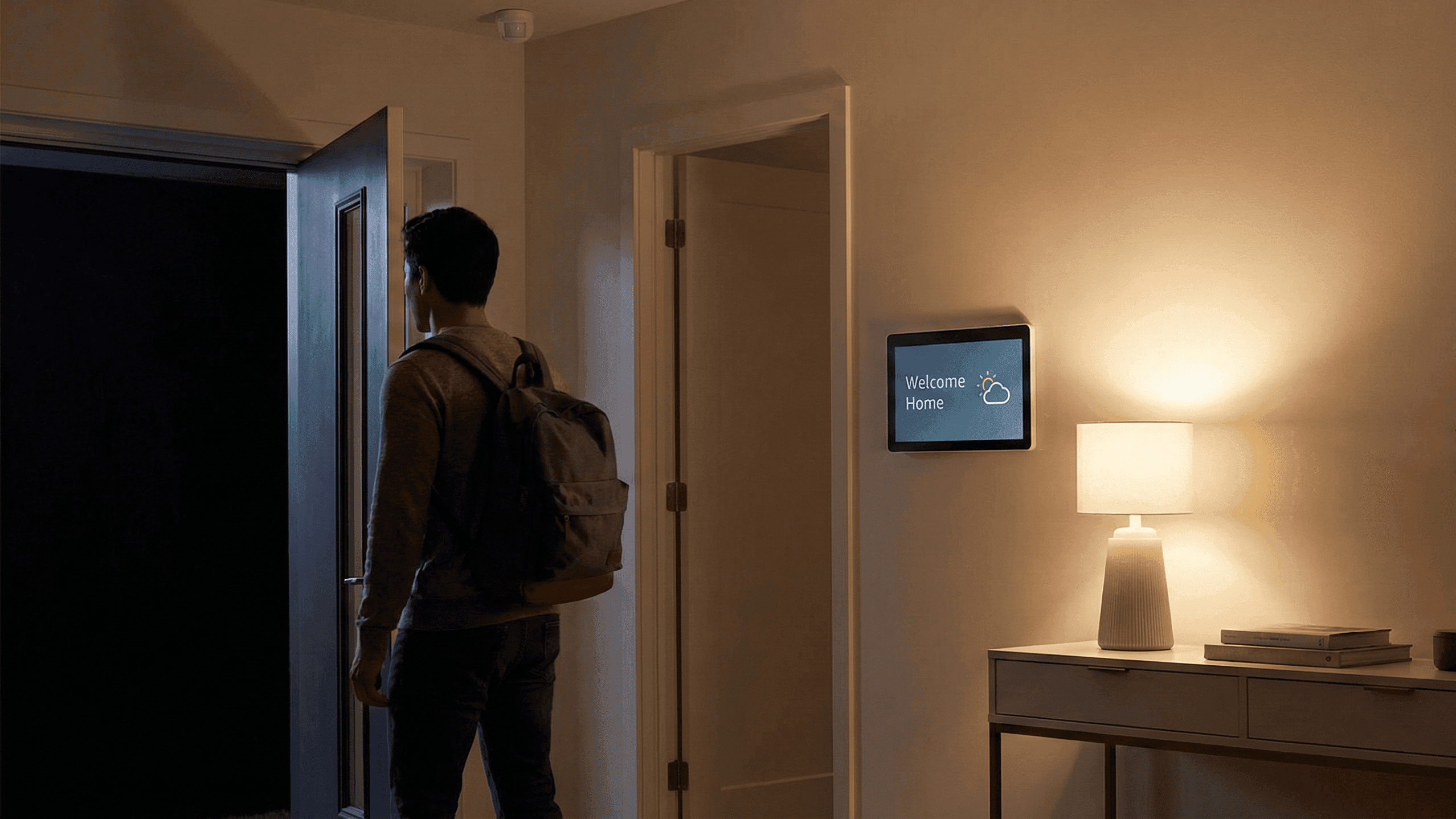
The welcome home arrival routine is the one with the most immediately noticeable quality-of-life impact. When the home detects I am arriving in the evening, the hallway and living room lights come on to warm, comfortable levels, the AC or fan adjusts to my preferred temperature, and the home is comfortable by the time I get through the door. On days when this runs correctly, which is most days, coming home feels qualitatively different from coming into a dark, warm apartment and fumbling for switches.
The night mode transition is presence detection applied to the asleep-versus-awake question rather than the home-versus-away question. When I say goodnight and trigger the bedtime routine, the home enters a state where motion in the hallway triggers dim light rather than full brightness, notifications through the speaker are silenced, and inside cameras if you have them can be set to not record since people are home. This state persists until the morning routine runs or until motion detection suggests someone has woken up.
The energy efficiency automation runs quietly in the background. When the home has been in away mode for more than a couple of hours, any remaining devices that were left on standby cut to zero through their smart plugs. This catches the things that the initial departure routine misses because they were in use right up until the last minute.
What Happens With Guests and Other Edge Cases
Every presence detection system has edge cases and the honest approach is to design for the common case and have easy manual overrides for the exceptions.
Guests without tracked phones will break phone-based presence detection. If a guest is home alone and my phone shows as away, the home will eventually switch to away mode despite someone being there. The solution is a manual override: a simple button in the app, or a voice command, that sets the home to a "guest home" state that prevents away automations from running. I have this set up as a named scene I can trigger before I leave.
Multiple people in a household require tracking multiple phones, which all major smart home platforms support. The away state should only trigger when all tracked phones are away, not when any single person leaves. Setting this up correctly in the Alexa or Google Home app takes about five minutes but matters significantly if anyone in the household moves around independently.
Children and elderly family members who do not carry smartphones require either motion sensors as the primary presence signal or a physical check-in method like a dedicated smart button they can press when they arrive or leave.
Building This Incrementally
The mistake I made initially was trying to build a complete presence detection system all at once. I set up geofencing, combined it with Wi-Fi detection and motion sensors, and tried to write complex logic that handled every case. It broke constantly and in ways that were hard to diagnose.
The approach that actually worked was building one thing, testing it thoroughly for two weeks, then adding the next layer.
Start with Wi-Fi based presence detection for the away state only. When your phone disconnects from the home network for ten minutes, trigger a simple routine that just turns off lights and cuts a few plugs. Run that for two weeks. Note when it fires incorrectly and adjust the delay accordingly.
Then add geofencing for the arrival trigger. When your phone re-enters the geofence, trigger the welcome home routine. Test and adjust.
Then add a motion sensor as a sanity check on the away state. Only switch to away mode if no motion has been detected for fifteen minutes in addition to the phone signal.
Each layer adds reliability without introducing the debugging nightmare of trying to make a complex multi-condition system work all at once.
The end result is a home that feels responsive to your actual presence rather than your predicted presence. It is the quality that, more than any individual device or automation, makes a smart home feel genuinely intelligent rather than just convenient.
I spent about three months getting my presence detection to a point where I trusted it completely. The incremental approach was slower than I wanted but produced something that has run reliably for over a year without major intervention.


