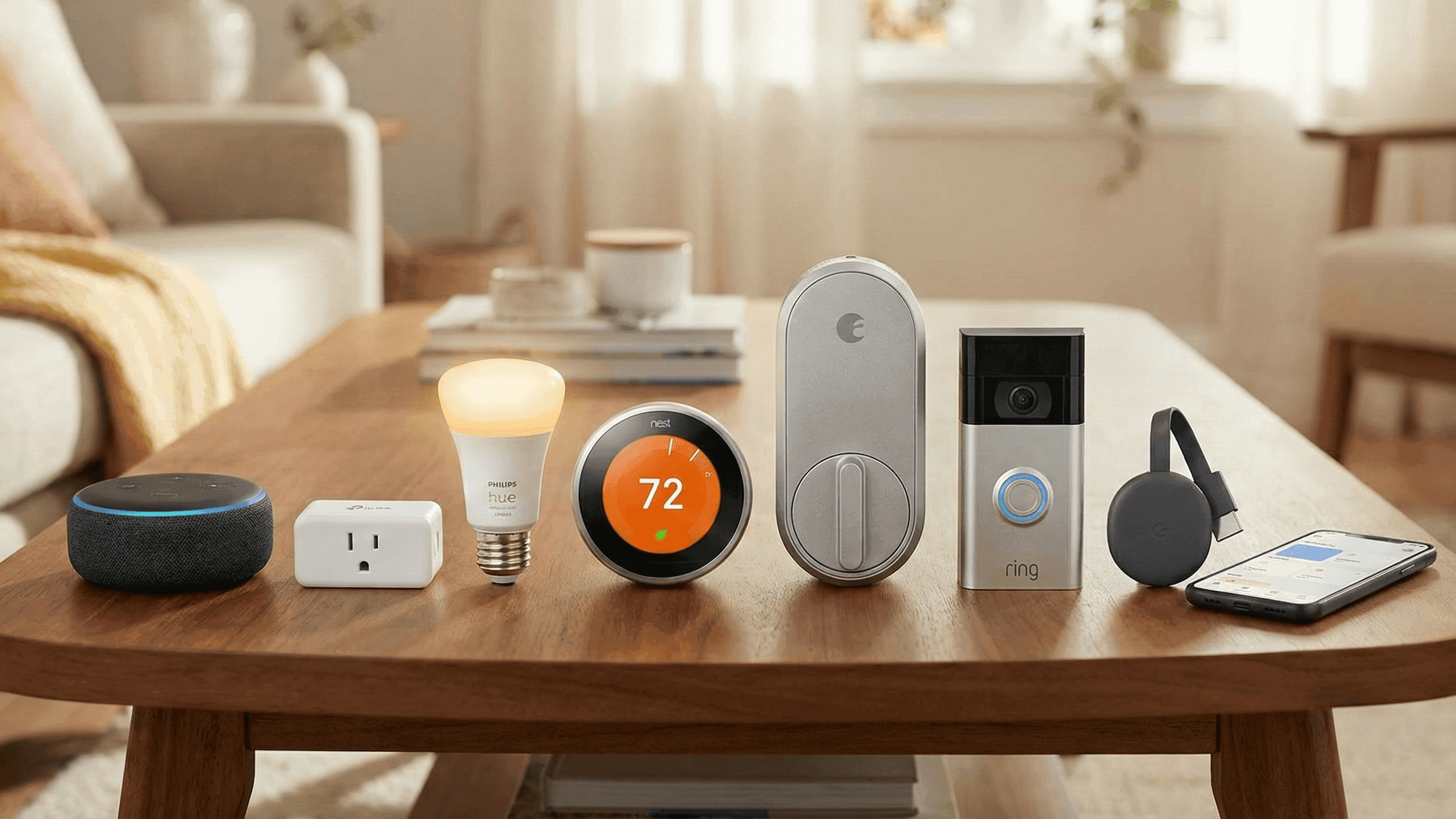
The First 7 Smart Devices I’d Buy If I Had To Start From Zero

A while back my router died suddenly and took most of my automations with it during the reset. I had to re-pair the majority of my devices from scratch in one afternoon, which meant I essentially rebuilt a large chunk of my setup whether I wanted to or not. It was annoying at the time but it turned out to be a useful exercise because it forced me to think clearly about what actually mattered in my setup and what I'd added just because I could.
While I was going through the re-pairing process, I kept asking myself: if I were genuinely starting over with nothing, what would I buy first? Not what looks impressive in a setup tour. Not what gets the most coverage in tech reviews. What actually makes the biggest difference in a real home that real people live in, bought in an order that keeps the whole thing manageable and genuinely useful from the start.
This is that list.
1. A Voice Assistant, and Nothing Else Until It's Working
The first thing I would buy is an Amazon Echo Dot or a Google Nest Mini, and I would not purchase a single other smart device until it was fully set up, connected to my Wi-Fi, and I had spent at least a day just using it for basic things like playing music and setting timers.
The reason this has to come first is that without a central hub, every smart device you buy lives in its own separate app and controls its own separate slice of your home. Your lights are in one app, your plug is in another, and the experience of using them together is frustrating rather than seamless. A voice assistant ties everything into one system. It becomes the thing you talk to, the thing that runs your routines, and the thing guests can actually interact with without needing a tutorial.
I use Alexa because the device compatibility is broader and the routine-building interface has improved significantly over the past couple of years. If you are already deep into Google's ecosystem with an Android phone and Google services for everything, the Nest Mini will feel more natural and the integration with Google Calendar for reminders is genuinely useful. Pick one and do not switch until you have a specific reason to, because migrating your entire setup from one ecosystem to another is a project you do not want to undertake casually.
Getting this working first also means that every subsequent device you buy can be tested immediately when you set it up, which makes troubleshooting much easier than trying to diagnose problems across a half-built system.
2. Smart Plugs for the Things You Already Own
My second purchase would be a pack of smart plugs, and these are genuinely the highest-value item on this entire list relative to what they cost.
The appeal is that a smart plug makes your existing devices controllable and schedulable without you having to replace them. The floor lamp you have had for five years can now switch off automatically when you leave the house. Your fan can run on a schedule. Your coffee maker can be warming up before your alarm goes off if you prep it the night before, which sounds like a small thing until you've experienced walking into a kitchen where the coffee is already ready.
I've been using Kasa plugs for about three years and they have been consistently reliable in a way that cheaper alternatives have not matched. They work with both Alexa and Google Home without needing a separate hub, the energy monitoring on the higher-end models is genuinely interesting for tracking what is actually costing you electricity each month, and I have never had one refuse to respond after a firmware update, which I cannot say for every brand I have tried.
Start with two or three. Put one on a lamp you use every evening and one on something you occasionally forget to switch off, like a heater or a power strip for your desk setup. After a week you will know exactly where you want more of them.
3. Smart Bulbs or a Switch for the Room You Use Most
Lighting is where a smart home starts to feel fundamentally different rather than just remotely convenient, and getting this right in your main living space makes everything else feel more worth it.
My third purchase would be smart bulbs for the living room or bedroom, depending on which room I spent more time in. If I owned my place and could change the wiring, I might consider a smart switch instead, because a switch works with any bulb you already have and means the wall switch still functions normally for guests and family members who do not want to use voice commands. Since I rent, bulbs are what I have always used.
For bulbs specifically, I have used both Philips Hue and Wiz extensively. Hue is the more polished experience with better color accuracy, faster response times, and a wider accessory ecosystem including motion sensors and dimmer switches that integrate beautifully. Wiz is made by the same parent company, costs about half as much, and for basic warm white lighting that dims smoothly and holds a schedule reliably, the real-world difference is smaller than the price difference would suggest. My honest recommendation is to start with Wiz and upgrade specific bulbs to Hue later if you find you want the more refined experience somewhere important to you, like a reading lamp or a main bedroom light.
The routines I actually use with my living room lights: an evening scene that shifts the room to warm, dim light around sunset without me doing anything, a movie mode that drops brightness in the area near the TV, and a goodnight routine that turns everything off while I am already in bed and would otherwise have to get back up to handle.
4. Something Smart for Climate Control
Heating and cooling are usually the single biggest portion of a home electricity bill, and getting even basic automation here tends to pay for itself within a few months while also making the home more comfortable day to day.
What I would buy depends entirely on what I was working with. If the heater or AC unit plugs into a wall socket and the plug can safely handle its power draw, a smart plug with scheduling and remote control solves the problem immediately and cheaply. If I had a split AC or any unit with a handheld remote, I would get a smart IR blaster. The Switchbot Hub Mini is the one I use personally. It learned my AC remote in under a minute, and now my apartment has already started cooling down by the time I am ten minutes from home on a hot evening. The Broadlink RM4 Mini is another strong option at a similar price point and has been around long enough to have a large community of users if you need troubleshooting help.
The practical wins here are consistent regardless of the approach: you stop cooling or heating an empty home, you can pre-condition the space before you arrive, and you can set the temperature to adjust gradually during the night rather than running at full blast until morning.
5. Motion Sensors in the Places You Forget About
Once lighting and climate are handled, motion sensors are what I would add next, specifically targeting the spots where people forget about switches most reliably.
I have motion sensors in my hallway, my bathroom, and my kitchen. The hallway one has saved me from fumbling for a switch in the dark more times than I can count. The bathroom sensor means the light is never left on all day when someone forgets, which happened constantly before. The kitchen sensor is just straightforwardly useful when you walk in with your hands full of shopping and the light comes on without you needing to do anything.
Philips Hue motion sensors are my first recommendation if you're already using Hue bulbs because the integration is seamless and the response time is faster than most alternatives. If you want something more platform-agnostic, Aqara sensors work well with Apple Home, Google Home, and can connect to Alexa through a compatible hub.
The night behaviour is the detail most people miss when setting these up. I have all of mine configured to trigger a 15 to 20 percent warm light after 10 PM rather than full brightness. Being woken up by someone moving through the hallway at 2 AM and having every light snap on at full brightness is genuinely disorienting. Setting a dim, warm night mode for after a certain hour fixes that completely.
6. One Camera for the Main Entrance
At this point in the build I would add exactly one camera, pointed at the main entrance, and I would live with just that one for a while before deciding whether I needed more.
For a long time I avoided smart cameras because paying a monthly subscription to access footage from my own home felt wrong. What changed my mind was discovering cameras that store clips locally on a microSD card by default and treat cloud storage as optional rather than mandatory. Eufy cameras are the ones I would start with. Local storage is the default, the app is straightforward without being cluttered, and there is no subscription required for basic motion clips and notifications. Wyze is a cheaper entry point that is also solid, though their free cloud tier has become more restricted over time and the app has gotten busier than it used to be.
I use my entrance camera mainly to get a notification when someone arrives, to do a quick visual check when I am away for more than a day, and occasionally to confirm that a delivery was left safely rather than taken. Simple use case, works exactly as expected, and the peace of mind when travelling is real.
7. A Robot Vacuum, When Everything Else Is Stable
Last on the list, and genuinely last for a reason, is a robot vacuum. This is the most expensive item here and it only works well once the rest of your setup is in order.
I put off buying one for over a year because it felt like an indulgence I couldn't justify. Within two weeks of getting one I was frustrated I had waited so long. The ongoing cleanliness difference in my apartment is significant and the time I used to spend on quick daily sweeps simply does not exist in my schedule anymore. It runs while I am out, docks itself when it is done, and I mostly just empty the bin every few days and forget about it.
The reason it is last is that a robot vacuum needs stable Wi-Fi to map and navigate reliably, needs floors that are reasonably clear to actually clean effectively, and is a quality-of-life layer on top of a functioning setup rather than a foundational part of one. If your Wi-Fi is patchy or your floors are always cluttered, a robot vacuum will frustrate you rather than help you.
When you are ready, skip the cheapest options. Very inexpensive robot vacuums get stuck constantly, miss corners, and the mapping is unreliable enough that they sometimes just drive in circles. The Roborock Q5 and the Dreame D10 Plus are both genuinely good mid-range choices that map properly, clean thoroughly, and have app experiences that are not painful to use.
Why the Order Matters
The sequence here is not arbitrary. Each layer makes the next one easier to add and more satisfying to use. The voice assistant means every new device can be tested and controlled immediately. The plugs teach you how automations work before you have spent much money. The lighting makes the whole thing feel worth having. Climate control is where you start to see real financial benefit alongside the comfort benefit. Sensors remove the last bits of manual friction from daily life. The camera adds security in a manageable, non-overwhelming way. The vacuum is the reward for having everything else running smoothly.
You can stop at any point on this list and still have a setup that genuinely improves your daily life. The goal is a home that takes less energy to manage, not one that requires a manual to operate.
I've been building smart home setups for about four years across three different apartments. Everything on this site comes from actual use, not spec sheets.


