Smart Lighting for Beginners: Your First Step to a Smarter Home

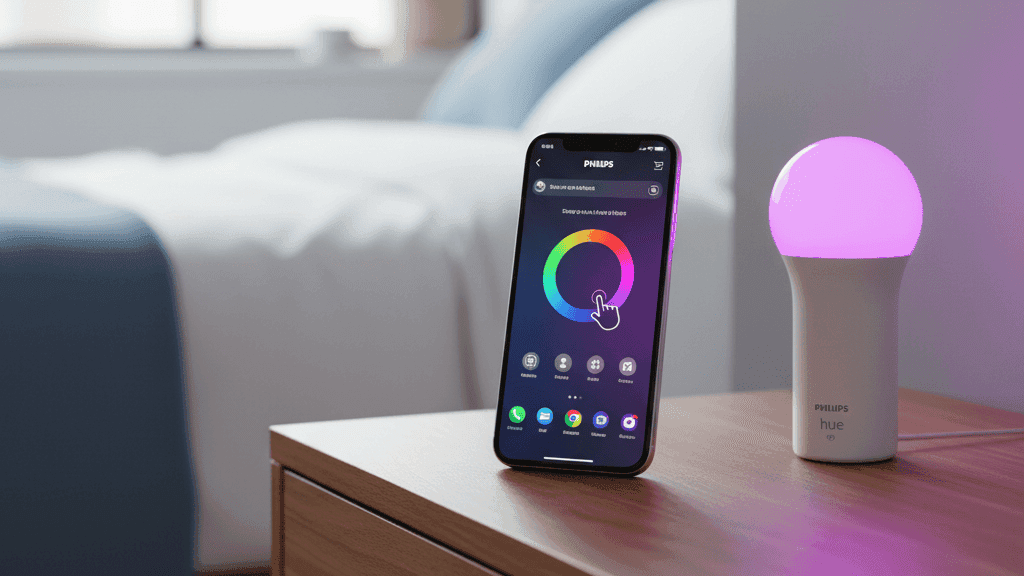
The first smart home purchase I ever made was a single smart bulb for the lamp on my bedside table. I bought it mostly because it was on sale and I was curious, not because I had any particular plan. I screwed it in, downloaded the app, connected it to my Wi-Fi, and then spent about twenty minutes just dimming it up and down and changing the color temperature because it felt genuinely satisfying in a way I had not expected.
That was the beginning of a four-year obsession with smart home technology, and it started with one $12 bulb. Lighting tends to be where most people begin their smart home journey, and I think that is exactly right. It is the category where the difference between before and after is most immediately obvious, the setup is straightforward enough that you get it working without frustration, and the use cases reveal themselves naturally once you have it running.
If you have been thinking about getting started with smart lighting but are not sure where to begin or what any of the terminology means, this is the guide I would have wanted when I bought that first bulb.
What Makes a Bulb Smart
A smart bulb is a LED bulb with a wireless radio built in that allows it to connect to your home's network and receive instructions remotely. That wireless radio is what makes the price higher than a standard LED: you are paying for the connectivity hardware inside the bulb.
What that connectivity gives you is control that goes well beyond an on/off switch. You can dim smart bulbs to any percentage of their maximum brightness. Many can shift their color temperature from a cool, blue-tinted white that is good for focus and daytime use, to a warm, amber-tinted white that is more comfortable in the evenings and conducive to winding down before sleep. Color bulbs can produce millions of different hues if you want to get creative with atmosphere.
Most importantly, all of this can be controlled from your phone from anywhere, set on a schedule that runs automatically, triggered by other devices in your home, or responded to by voice commands through Alexa or Google.
The practical upshot is that lighting stops being a fixed feature of your home and becomes something that adapts to what you are actually doing in a given room at a given time of day. I know that sounds like marketing language, but I genuinely notice the difference in how comfortable my apartment feels in the evenings since I stopped having it lit at the same flat brightness from morning to midnight.
The Main Choice: Wi-Fi Bulbs or a Hub-Based System
When you start looking at smart bulbs, you will quickly notice that products fall into two broad categories: bulbs that connect directly to your home's Wi-Fi, and bulbs that need a separate hub device. This is the most important decision to understand before you buy anything.
Wi-Fi bulbs are simpler to start with. You screw them in, download the brand's app, and connect them to your network directly. There is no extra hardware to buy. Wiz, TP-Link Kasa, and Govee all make reliable Wi-Fi bulbs that work well and are genuinely affordable. The limitation is that each bulb is a separate device on your Wi-Fi network, and if you eventually put smart bulbs throughout a larger home, that can put real strain on a router that was not designed to handle thirty or forty simultaneous connections.
Hub-based systems work differently. The bulbs themselves use a low-power wireless protocol, usually Zigbee, to communicate with a small hub device that plugs into your router. The hub is the only thing that connects to your Wi-Fi. This means you can have dozens of bulbs without adding any load to your home network, response times tend to be faster, and the system continues to function locally even if your internet goes down. Philips Hue is the most established hub-based system and the one I have used most extensively. The upfront cost is higher because you need to buy a starter kit that includes the hub, but for anyone planning to put smart lighting in more than a couple of rooms, it pays off in reliability and flexibility.
My honest recommendation: if you want to try smart lighting in one or two specific lamps to see whether you like it, buy a couple of Wiz bulbs and skip the hub entirely. If you think you might eventually want smart lighting throughout your home, buy a Philips Hue starter kit and build from there. Migrating from a Wi-Fi system to a hub-based one later means replacing all your bulbs, which is exactly as annoying as it sounds.
Setting Up Your First Bulbs
The setup process for most smart bulbs follows the same basic pattern regardless of brand, and it is genuinely straightforward once you know what to expect.
Screw the bulb in and make sure the physical switch it is connected to is in the on position. Smart bulbs need constant power to stay connected to your network. If you switch them off at the wall, they lose their connection and cannot be controlled remotely until the power comes back and they reconnect, which takes a moment. This is one of the first things people find counterintuitive: with smart bulbs, you stop using the physical switch for on/off control and use the app or voice commands instead.
Download the brand's app, create an account, and follow the pairing process. Almost every brand has you connect through the app by selecting the bulb once it appears on your network. The app will ask which Wi-Fi network to connect it to. Make sure your phone is currently connected to your 2.4GHz network at this point, not your 5GHz network, because almost all smart bulbs only support 2.4GHz and the app needs to be on the same band to complete the pairing.
Once it is paired, give the bulb a specific name that tells you exactly what it is and where it is. "Bedside lamp" is more useful than "bulb 1" and will be important when you start using voice commands or building routines.
The Part That Makes It Worth Having
Getting the bulb on and working through the app is the easy bit. What takes a few more minutes but makes the whole thing genuinely useful is connecting it to a voice assistant and setting up your first schedule.
In the app for whatever bulbs you bought, look for an integrations or "works with" section. From there you can link your account to Alexa or Google Home. Once linked, the bulb appears in the Alexa or Google Home app and you can control it by voice. This also means the bulb can participate in routines: "Alexa, goodnight" can dim every linked light in the home to zero, for example.
The schedule or routine that made the biggest difference for me personally was a gradual wake-up light. I set my bedroom lamp to start at 1% brightness at 6:45 AM and slowly rise to 50% over fifteen minutes. By the time my alarm goes off my body has already been responding to the light for a quarter of an hour and waking up is noticeably less abrupt. This is one of those automations that sounds small but that I would genuinely miss if it stopped working.
The second thing worth setting up early is an evening scene. Most smart bulb apps let you save a particular brightness and color temperature combination as a named scene. I have one called "evening" that sets every bulb in my living room to 35% brightness at a warm 2700K color temperature. I trigger it manually at the moment, but you can set it to run automatically around sunset. The room just feels different in the evenings now compared to how it did when everything was running at the same flat white light all day.
What to Think About When Buying
A few things are worth checking before you settle on a brand.
Color temperature range matters more than the ability to produce colors. Most people use color-changing bulbs in white tones more than ninety percent of the time. A bulb that covers the full range from around 2200K warm to 6500K cool is more useful in practice than one that can produce every color of the rainbow but has a limited white range.
Check that the bulbs explicitly support your voice assistant before buying. Most mainstream brands support both Alexa and Google Home, but it is worth confirming on the product page rather than assuming.
If you are buying more than a couple of bulbs, think about whether you want them all from the same brand or system. Mixing brands is possible now, especially with Matter-certified bulbs, but managing everything through one app is simpler and mixing brands sometimes creates minor inconsistencies in how scenes and schedules behave.
And finally, buy one first before committing to a whole room. Spend a week with a single bulb and see which features you actually use. That tells you much more about what you actually need than reading reviews does.
Where to Go From Here
Once you have smart lighting working in one room and you understand how the app, scheduling, and voice control work, adding more rooms follows the same process. The interesting thing about lighting is that it connects well to almost everything else in a smart home. Motion sensors that trigger lights automatically in hallways. Routines that shift the whole apartment to evening mode at sunset. Automations that flash a light briefly when a parcel is delivered or when a timer finishes. The lighting becomes part of a larger system rather than a standalone feature.
But you do not need to think about any of that on day one. Get one bulb working properly, set one schedule, and see how it changes how you interact with that particular light. The rest tends to follow naturally from there.
I have been using smart bulbs across three apartments for four years. The single biggest thing I have learned is that a well-configured simple setup beats an elaborate one that requires constant attention to maintain.


