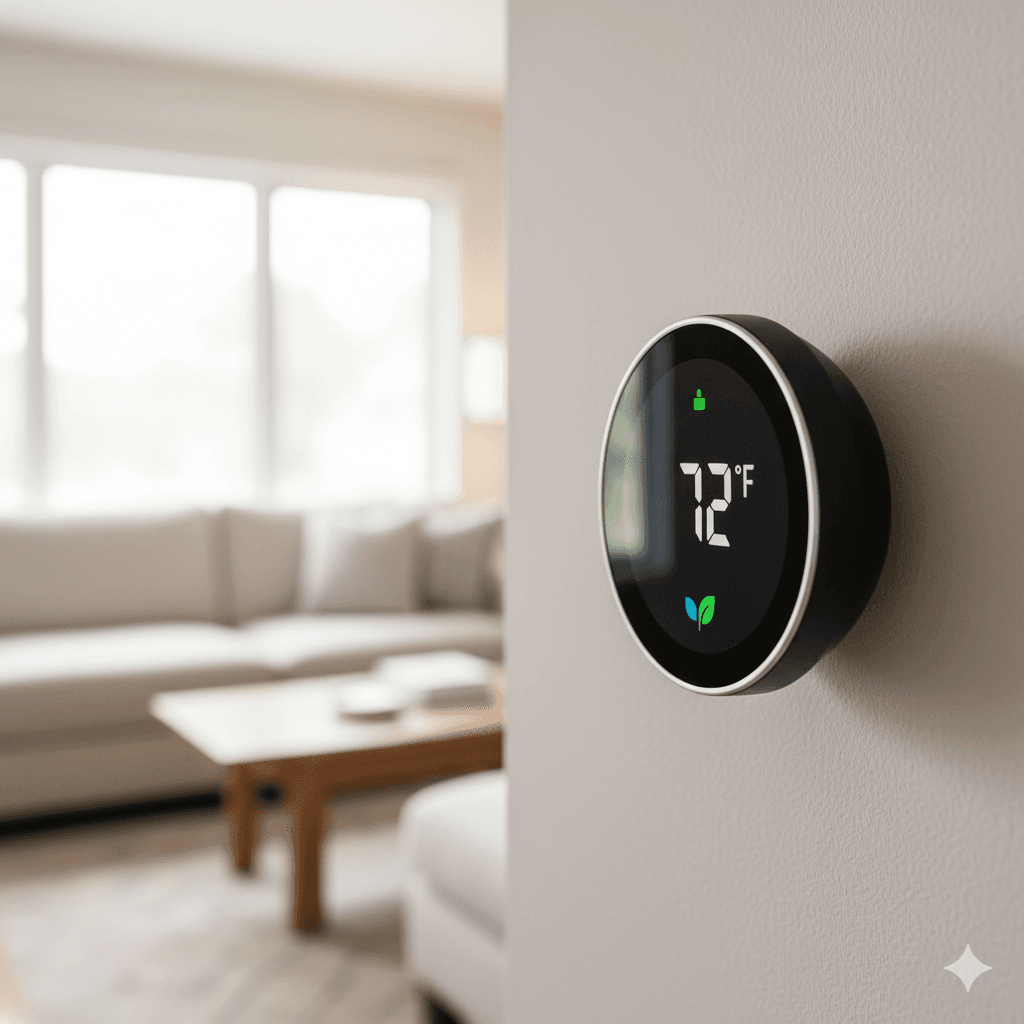
A Beginner's Guide to Smart Thermostats: Save Money & Stay Comfortable

Heating and cooling account for roughly half the energy bill in most homes. That single fact is what made me take smart thermostats seriously after years of dismissing them as an unnecessary upgrade. I had smart bulbs, smart plugs, a voice assistant, the whole setup. But the thermostat was still the same basic programmable box that came with my apartment, doing the same thing it had done for fifteen years before I moved in.
The change happened when a friend showed me her Ecobee app and the monthly energy report it generated. She could see exactly when her system was running, how long each heating cycle lasted, and what her estimated savings were compared to running a fixed schedule. The numbers were not dramatic but they were real and they added up over a year to something meaningful. I had not thought about my HVAC system as something that could be optimised. I started thinking about it differently after that conversation.
This guide covers everything I wish someone had explained to me before I went shopping: what a smart thermostat actually does, which features genuinely matter versus which ones are marketing, and the one technical question that intimidates most people but is actually straightforward to resolve.
What Separates a Smart Thermostat From a Programmable One
A programmable thermostat lets you set a fixed schedule. Seven AM on weekdays it turns to 20 degrees. Ten PM it drops to 17. Weekend schedule is slightly different. You set it once and it follows the schedule regardless of what is actually happening in your life.
The limitation of this approach is immediately obvious. If you leave for a long weekend on Friday afternoon, the thermostat heats the empty house to 20 degrees on Saturday morning as scheduled. If you work from home one day and need the house warm at 8 AM instead of noon, the fixed schedule does not accommodate that. If you have a houseguest staying in a different room than usual, the schedule does not know.
A smart thermostat addresses these limitations in three ways that matter in practice.
Remote control means you can change the temperature from your phone from anywhere. Stuck in traffic on a cold evening and want the house warm when you get home? Change it now rather than arriving to a cold apartment and waiting. Going away unexpectedly for a few days? Switch to away mode from the airport rather than letting the system run a full heating schedule for an empty house.
Geofencing takes the remote control concept one step further by automating it. The thermostat uses your phone's location to determine whether you are home or away. When the last tracked person leaves the geofence boundary around your home, the system automatically shifts to an energy-saving away temperature. When it detects you approaching, it starts conditioning the home to your preferred temperature before you arrive. This happens without you doing anything.
Learning, available in systems like the Google Nest Learning Thermostat, takes several weeks of data about when you manually adjust the temperature and builds a schedule that reflects your actual patterns rather than the generic schedule you set up on installation day. After a month, you largely stop adjusting it manually because it has learned when you want what temperature.
The Features Worth Paying Attention To
Geofencing is the feature with the most immediate impact on energy bills for most people. The scenario of heating or cooling an empty home because the schedule says to is extremely common and it is entirely preventable. If you can get nothing else from a smart thermostat, the ability to automatically shift to an energy-saving mode when nobody is home and restore comfort before anyone returns is worth the cost of the device.
Most smart thermostats implement geofencing through their own app using your phone's GPS. The Ecobee uses occupancy sensors built into the main unit and optional remote sensors to detect presence without relying solely on phone location. Both approaches work, and having a physical occupancy sensor as a backup is particularly useful in households where people do not always carry their phones.
Remote sensors are a feature I had not anticipated needing but now consider essential. A thermostat measures temperature only at its own location, which is typically a hallway or central area chosen for wiring convenience rather than because it is representative of where people actually spend time. If your bedroom runs significantly warmer or cooler than the hallway where the thermostat is mounted, the thermostat is maintaining the wrong temperature for the rooms you care about.
Ecobee's remote sensors solve this by placing small wireless sensors in specific rooms. You can tell the system to prioritise certain rooms at certain times of day, so the bedroom sensor drives the temperature during sleeping hours and the living room sensor drives it during evenings. The thermostat then runs the system to achieve your target temperature in the room that actually matters at that time rather than the hallway.
Energy reports give you actual data about how your system is running rather than estimates. Seeing that your HVAC ran for six hours yesterday versus three hours the week before, and being able to correlate that with weather conditions or schedule changes, builds a genuine understanding of your system that helps you make better decisions about settings.
Filter change reminders seem like a trivial feature but are practically useful. A clogged air filter reduces system efficiency and eventually causes the system to work harder for worse results. Most people change filters less often than they should because there is no reminder. Smart thermostats track runtime hours and send a notification when the filter is likely due for replacement. Small thing, but it prevents a common source of unnecessary HVAC wear.
The C-Wire Question, Explained Simply
This is the part of smart thermostat discussions that causes the most anxiety, usually because it gets explained in overly technical terms that make it sound more complicated than it is.
Your existing thermostat is connected to your heating and cooling system by a set of wires. Each wire has a letter designation. The C-wire, short for common wire, provides continuous low-voltage power to the thermostat.
Old programmable thermostats used very little power and could get away without a dedicated power wire by stealing tiny amounts of electricity from the heating and cooling control wires when the system was active. Smart thermostats have Wi-Fi radios, bright displays, and sensors running continuously, so they need a proper continuous power supply. The C-wire provides that.
To check whether you have one: pull your current thermostat off the wall mount. It usually just clips on and pulls straight off. Look at the wiring terminals on the back. If you see a wire connected to a terminal labeled C, you have a C-wire and installation of any smart thermostat will be straightforward.
If there is no wire in the C terminal, you have several options. Some Nest models can operate without a C-wire using a technology they call power stealing, which works in most but not all systems. Most smart thermostats include an adapter in the box that installs at the furnace or air handler and creates a C-wire connection from existing wires, which is a straightforward process that typically takes about twenty minutes and is described step by step in the installation manual. If your system wiring is unusual or you are not comfortable with the installation, an HVAC technician can add a C-wire for a modest service fee.
The C-wire question has a solution in virtually every situation. It is worth confirming which solution applies to your setup before buying, but it should not be a reason to avoid smart thermostats entirely.
The Main Options and Who They Suit
The Google Nest Learning Thermostat suits people who want the system to handle scheduling automatically without manual configuration. It learns your patterns over a few weeks and builds a schedule that reflects your actual routine. The hardware is well-designed, the app is clean, and the Google Assistant integration is seamless if you already use Google's ecosystem. The main limitation is that it does not support remote sensors for multi-room temperature balancing.
The Ecobee SmartThermostat suits people who want more control and who have temperature variation between rooms in their home. The remote sensor system is genuinely useful and the SmartSensor that comes included with most models gives you immediate occupancy-based control. Ecobee also tends to produce more detailed energy reports than Nest, which appeals to people who want to understand and optimise their usage rather than just set and forget.
The Nest Thermostat, the more affordable entry-level Nest model, lacks the learning capability of the Learning Thermostat but includes geofencing and remote control at a lower price point. For people who are comfortable setting a manual schedule but want the geofencing and remote access features, it is a reasonable entry point.
What to Realistically Expect
The claimed energy savings from smart thermostat manufacturers, typically in the range of ten to twenty percent of heating and cooling costs, are real but depend significantly on your current habits. If you already manage your thermostat carefully and consistently adjust it when you leave and return, a smart thermostat provides convenience more than savings. If you frequently heat or cool an empty home because adjusting the thermostat manually is easy to forget, the savings can be substantial.
The comfort improvement is less dependent on your current habits. Arriving home to a pre-conditioned house, having the temperature adjust automatically at night without you remembering to turn the heat down, and being able to change the temperature from bed without getting up are all quality-of-life improvements that are immediately noticeable once you have them.
Installation takes most people between thirty minutes and an hour on a system with standard wiring. The hardest part for most people is the C-wire situation, which is usually resolved by the adapter in the box. Following the manufacturer's app-guided installation process is significantly easier than trying to interpret generic electrical instructions.
I have been running an Ecobee in my current home for over a year. The remote sensor in the bedroom is the feature I would least want to give up, and the geofencing has genuinely changed how I think about HVAC scheduling.


