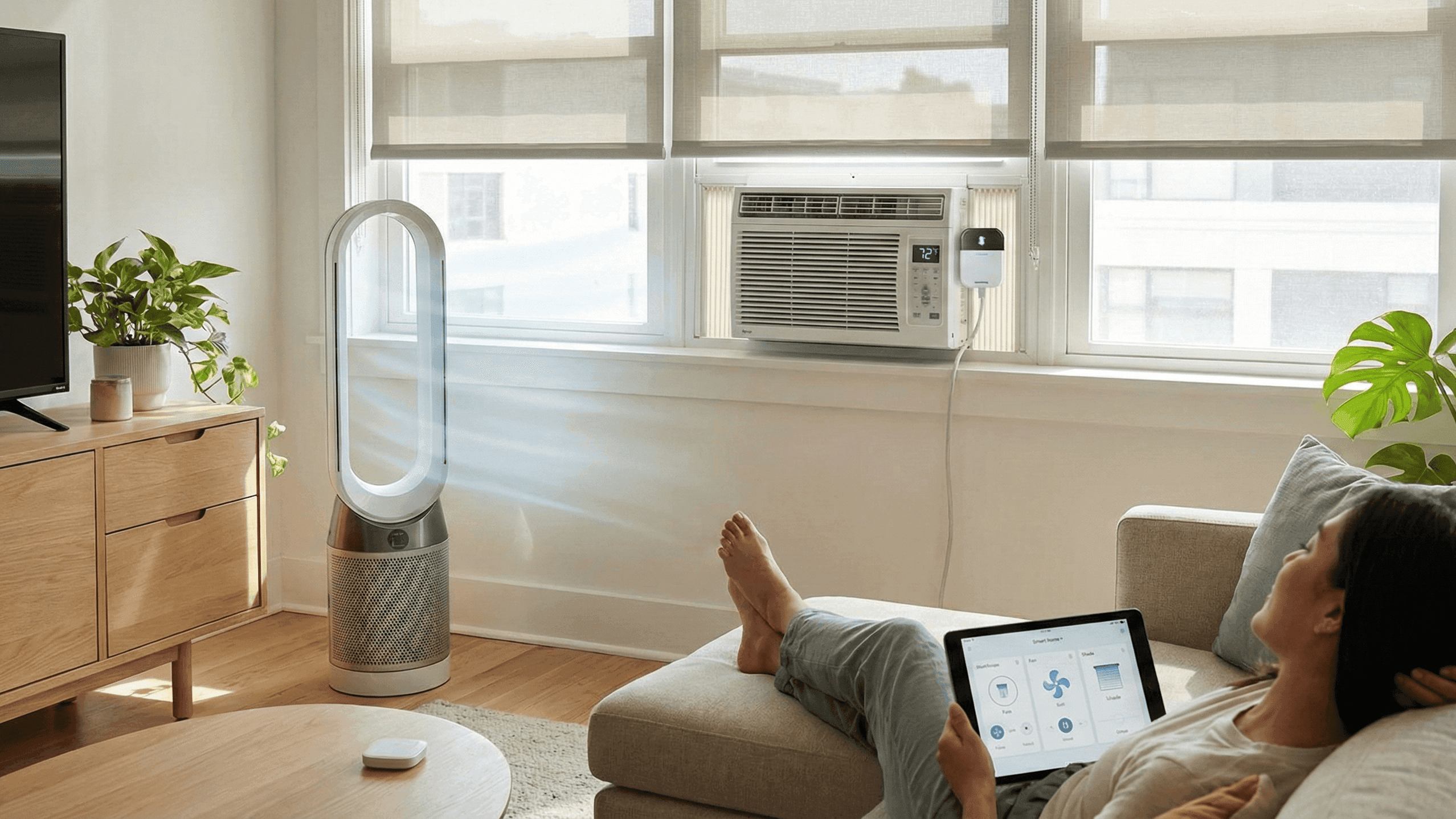
Beating Summer Heat With Smart Fans, AC Controllers and Shading

Summer in an apartment without good climate management is a specific kind of misery. The room feels like it has been preheating since morning. The AC feels like it is running constantly but the temperature barely moves. The electricity bill at the end of the month is depressing. And because you cranked everything to maximum trying to compensate, you alternate between too hot and too cold rather than settling at comfortable.
I lived with this for two summers before I understood that the problem was not insufficient cooling capacity but an inefficient approach to using what I had. The AC in my apartment was perfectly adequate. What was inadequate was how I was using it: as the only tool for a job that worked better when three or four tools handled different parts of it together.
This is what I changed and why the result is both more comfortable and cheaper than what I was doing before.
Why Attacking Temperature Alone Does Not Work Well
Thermal comfort is not just about air temperature. It also depends on air movement, humidity, and whether you are in direct sunlight or not. This is why 26 degrees in a well-ventilated room with low humidity feels comfortable while 26 degrees in a still, humid room with afternoon sun coming through the window feels oppressive.
If you only attack the temperature number with air conditioning, you end up setting it lower than you actually need because the other factors are working against you. You cool the air down to 20 degrees trying to compensate for a still, humid room when 25 degrees with good air movement and closed blinds would feel just as cool. The AC works harder than it needs to, runs longer, and costs more for the same or worse result.
The smarter approach is to address all four factors simultaneously. Block the heat from entering in the first place. Keep air moving so ambient temperature feels lower than it is. Manage humidity in climates where it is an issue. And then use the AC to handle whatever remains after the other tools have done their share of the work.
Shading: The Cheapest Cooling You Can Do
Direct sunlight through a window does not just raise room temperature. It raises it quickly, it raises the surfaces in the room which then radiate heat into the air, and it makes you feel hot even in a room that the thermometer says is cool. Blocking that sun before it enters the room is the single highest-leverage action you can take on a hot day, and it costs nothing if you already have blinds or curtains.
The practical principle is simple: close blinds on sun-facing windows before the sun reaches them, not after. By the time a room feels hot from sun exposure, the thermal mass of the walls and furniture has already absorbed heat that will keep radiating for hours. Prevention is much more effective than response.
In my apartment, south-facing windows get covered by mid-morning on hot days. The difference in room temperature between rooms where I do this consistently and rooms where I forget is noticeable by early afternoon. The covered rooms are comfortable. The uncovered ones feel like they have been fighting a losing battle all day.
If you have smart blinds or a motorised curtain track, this becomes an automation: close the blinds on south-facing windows at a time that is about thirty minutes before direct sun hits them, based on the season, and open them again when the sun moves past. SwitchBot makes retrofit motors that attach to existing blind cords and cost significantly less than full smart blind systems. For anyone who already has blinds they use manually, adding a motor and setting a summer schedule takes an afternoon and changes how the whole apartment feels.
For people without smart blinds, the habit of closing blinds before you leave in the morning makes an enormous difference to what you come home to. This is free and requires nothing beyond remembering to do it consistently.
Fans: The Underused Partner to Air Conditioning
A fan does not lower the temperature of a room. If you put a thermometer in a room with a fan running and check it after an hour, the reading will be the same or slightly higher than without the fan. The cooling effect is entirely on your body: moving air increases evaporation from your skin and makes you feel cooler even when the ambient temperature has not changed.
The practical implication is that in a room with a fan running, you can set the AC to a higher temperature and feel the same level of comfort. In my apartment, running a fan allows me to set the AC to 26 instead of 23 and feel equivalent comfort. That three-degree difference in AC setpoint translates to meaningful energy savings over a summer because air conditioning efficiency drops substantially as the target temperature decreases.
Running a fan costs a fraction of running an AC. The combination of a fan plus AC at a moderate setting consumes less electricity and produces more comfort than AC alone at a low setting. This is the most practically significant thing in this article: if you are not using a fan alongside your AC, you are working harder and spending more than you need to for the same result.
Making a fan smart costs about $12 if you already own one. A smart plug with a schedule means the fan starts running in the living room about thirty minutes before I typically get home in summer, so I walk into air that is already moving rather than stagnant and heated. A second smart plug on the bedroom fan means it runs through the first part of the night and switches off automatically a few hours after I fall asleep.
Smart AC Control: Getting More Precision Out of What You Already Have
Most apartments with split AC units have a remote-controlled system that is perfectly capable of intelligent temperature management. The limiting factor is not the hardware but the interface: a remote control that you have to find, point at the unit, and interact with every time you want to change anything.
A smart IR controller replaces that interaction with app control, voice control, and automation. The controller sits somewhere in the room with line of sight to the AC unit, learns the codes from your existing remote, and can then reproduce any button press through an app or automation. The Switchbot Hub Mini and the Broadlink RM4 Mini are both reliable and well-supported options that have been on the market long enough to have stable firmware and active user communities.
The specific automations that make the biggest difference in summer are these.
Pre-cooling before you arrive. Rather than walking into a hot apartment and blasting the AC at 18 degrees to cool down as fast as possible, setting the AC to start at a moderate temperature about twenty minutes before you get home means you arrive at something comfortable without the shock of cold air or the wasted time waiting for the room to cool. I trigger this through geofencing: when my phone enters a radius of about two kilometres from home, the AC starts at 25 degrees. By the time I walk in ten minutes later, the room has already started cooling.
The sleep temperature curve. Falling asleep is easier at a cooler temperature than sleeping through the full night. I have the AC set to 24 degrees when I go to bed, which rises automatically to 26 degrees after two hours and then to 27 at 4 AM. This matches how body temperature naturally changes through the night and prevents the common experience of waking up cold at 3 AM having fallen asleep in what felt like a comfortable setting.
Away mode. When my leaving-home presence routine runs, the AC switches off along with everything else. When I am expected home, the pre-cooling automation handles getting the room back to comfortable. This alone has a significant impact on summer electricity bills because the AC is not running in an empty apartment.
Humidity: The Factor That Hides in the Background
In humid climates, high humidity is often more responsible for summer discomfort than the temperature itself. Air at 28 degrees and 40% humidity feels genuinely comfortable. Air at 28 degrees and 80% humidity feels suffocating. If your summer discomfort persists despite having AC, humidity may be the actual problem.
Most split AC units have a dry mode that runs the compressor at a reduced level primarily to dehumidify the air rather than cool it aggressively. On days where the temperature is borderline but the humidity is high, dry mode often fixes the discomfort more effectively than cooling mode while using less energy.
A standalone dehumidifier in a smart plug with a humidity sensor trigger is the more complete solution. When humidity exceeds a threshold you set, the dehumidifier runs until it drops back to a comfortable level. Govee and Inkbird both make affordable humidity sensors that work with smart home platforms and can be used as automation triggers in this way.
Conversely, in very dry climates where air conditioning makes the air uncomfortably dry, a humidifier on a smart plug with an upper humidity threshold prevents the air from getting too dry while the AC runs. The same sensor and logic applies in reverse.
Putting the Full Approach Together
On a genuinely hot day, my apartment's cooling works like this. Blinds closed on sun-facing windows before I leave in the morning, either automatically or by habit. The bedroom and living room fans run on schedules that start before I get home. The AC pre-cooling starts via geofencing when I am twenty minutes away. When I get home, the room is already moving toward comfortable rather than hot and still.
Through the afternoon, the fan and AC run together with the AC at a moderate setpoint. The fan does the heavy lifting on the felt-temperature side so the AC does not have to push as hard. In the evening when outside temperature drops, the AC setpoint rises and the fan does more of the work until the AC is not needed at all.
The bedroom at night runs its sleep temperature curve. The fan runs low for the first few hours and switches off automatically. The result is consistent sleep comfort without the disrupted sleep that comes from a room that is too cold at 2 AM or still warm at midnight.
None of this is technically complicated. The fan automations are basic schedules on smart plugs. The AC automations use a $35 IR controller and geofencing that took fifteen minutes to set up. The shading is either a two-minute motor setup or just a habit. The total hardware cost for the smart parts of this setup was under $100.
The electricity bill reduction compared to my previous approach of using AC alone at low settings paid for that hardware cost within one summer.
*I have gone through this iteration process across three summers now. The current setup is the result of adjusting what did not work well in earlier versions, and the approach described here is what has actually stuck.*Summer in an apartment without good climate management is a specific kind of misery. The room feels like it has been preheating since morning. The AC feels like it is running constantly but the temperature barely moves. The electricity bill at the end of the month is depressing. And because you cranked everything to maximum trying to compensate, you alternate between too hot and too cold rather than settling at comfortable.
I lived with this for two summers before I understood that the problem was not insufficient cooling capacity but an inefficient approach to using what I had. The AC in my apartment was perfectly adequate. What was inadequate was how I was using it: as the only tool for a job that worked better when three or four tools handled different parts of it together.
This is what I changed and why the result is both more comfortable and cheaper than what I was doing before.
Why Attacking Temperature Alone Does Not Work Well
Thermal comfort is not just about air temperature. It also depends on air movement, humidity, and whether you are in direct sunlight or not. This is why 26 degrees in a well-ventilated room with low humidity feels comfortable while 26 degrees in a still, humid room with afternoon sun coming through the window feels oppressive.
If you only attack the temperature number with air conditioning, you end up setting it lower than you actually need because the other factors are working against you. You cool the air down to 20 degrees trying to compensate for a still, humid room when 25 degrees with good air movement and closed blinds would feel just as cool. The AC works harder than it needs to, runs longer, and costs more for the same or worse result.
The smarter approach is to address all four factors simultaneously. Block the heat from entering in the first place. Keep air moving so ambient temperature feels lower than it is. Manage humidity in climates where it is an issue. And then use the AC to handle whatever remains after the other tools have done their share of the work.
Shading: The Cheapest Cooling You Can Do
Direct sunlight through a window does not just raise room temperature. It raises it quickly, it raises the surfaces in the room which then radiate heat into the air, and it makes you feel hot even in a room that the thermometer says is cool. Blocking that sun before it enters the room is the single highest-leverage action you can take on a hot day, and it costs nothing if you already have blinds or curtains.
The practical principle is simple: close blinds on sun-facing windows before the sun reaches them, not after. By the time a room feels hot from sun exposure, the thermal mass of the walls and furniture has already absorbed heat that will keep radiating for hours. Prevention is much more effective than response.
In my apartment, south-facing windows get covered by mid-morning on hot days. The difference in room temperature between rooms where I do this consistently and rooms where I forget is noticeable by early afternoon. The covered rooms are comfortable. The uncovered ones feel like they have been fighting a losing battle all day.
If you have smart blinds or a motorised curtain track, this becomes an automation: close the blinds on south-facing windows at a time that is about thirty minutes before direct sun hits them, based on the season, and open them again when the sun moves past. SwitchBot makes retrofit motors that attach to existing blind cords and cost significantly less than full smart blind systems. For anyone who already has blinds they use manually, adding a motor and setting a summer schedule takes an afternoon and changes how the whole apartment feels.
For people without smart blinds, the habit of closing blinds before you leave in the morning makes an enormous difference to what you come home to. This is free and requires nothing beyond remembering to do it consistently.
Fans: The Underused Partner to Air Conditioning
A fan does not lower the temperature of a room. If you put a thermometer in a room with a fan running and check it after an hour, the reading will be the same or slightly higher than without the fan. The cooling effect is entirely on your body: moving air increases evaporation from your skin and makes you feel cooler even when the ambient temperature has not changed.
The practical implication is that in a room with a fan running, you can set the AC to a higher temperature and feel the same level of comfort. In my apartment, running a fan allows me to set the AC to 26 instead of 23 and feel equivalent comfort. That three-degree difference in AC setpoint translates to meaningful energy savings over a summer because air conditioning efficiency drops substantially as the target temperature decreases.
Running a fan costs a fraction of running an AC. The combination of a fan plus AC at a moderate setting consumes less electricity and produces more comfort than AC alone at a low setting. This is the most practically significant thing in this article: if you are not using a fan alongside your AC, you are working harder and spending more than you need to for the same result.
Making a fan smart costs about $12 if you already own one. A smart plug with a schedule means the fan starts running in the living room about thirty minutes before I typically get home in summer, so I walk into air that is already moving rather than stagnant and heated. A second smart plug on the bedroom fan means it runs through the first part of the night and switches off automatically a few hours after I fall asleep.
Smart AC Control: Getting More Precision Out of What You Already Have
Most apartments with split AC units have a remote-controlled system that is perfectly capable of intelligent temperature management. The limiting factor is not the hardware but the interface: a remote control that you have to find, point at the unit, and interact with every time you want to change anything.
A smart IR controller replaces that interaction with app control, voice control, and automation. The controller sits somewhere in the room with line of sight to the AC unit, learns the codes from your existing remote, and can then reproduce any button press through an app or automation. The Switchbot Hub Mini and the Broadlink RM4 Mini are both reliable and well-supported options that have been on the market long enough to have stable firmware and active user communities.
The specific automations that make the biggest difference in summer are these.
Pre-cooling before you arrive. Rather than walking into a hot apartment and blasting the AC at 18 degrees to cool down as fast as possible, setting the AC to start at a moderate temperature about twenty minutes before you get home means you arrive at something comfortable without the shock of cold air or the wasted time waiting for the room to cool. I trigger this through geofencing: when my phone enters a radius of about two kilometres from home, the AC starts at 25 degrees. By the time I walk in ten minutes later, the room has already started cooling.
The sleep temperature curve. Falling asleep is easier at a cooler temperature than sleeping through the full night. I have the AC set to 24 degrees when I go to bed, which rises automatically to 26 degrees after two hours and then to 27 at 4 AM. This matches how body temperature naturally changes through the night and prevents the common experience of waking up cold at 3 AM having fallen asleep in what felt like a comfortable setting.
Away mode. When my leaving-home presence routine runs, the AC switches off along with everything else. When I am expected home, the pre-cooling automation handles getting the room back to comfortable. This alone has a significant impact on summer electricity bills because the AC is not running in an empty apartment.
Humidity: The Factor That Hides in the Background
In humid climates, high humidity is often more responsible for summer discomfort than the temperature itself. Air at 28 degrees and 40% humidity feels genuinely comfortable. Air at 28 degrees and 80% humidity feels suffocating. If your summer discomfort persists despite having AC, humidity may be the actual problem.
Most split AC units have a dry mode that runs the compressor at a reduced level primarily to dehumidify the air rather than cool it aggressively. On days where the temperature is borderline but the humidity is high, dry mode often fixes the discomfort more effectively than cooling mode while using less energy.
A standalone dehumidifier in a smart plug with a humidity sensor trigger is the more complete solution. When humidity exceeds a threshold you set, the dehumidifier runs until it drops back to a comfortable level. Govee and Inkbird both make affordable humidity sensors that work with smart home platforms and can be used as automation triggers in this way.
Conversely, in very dry climates where air conditioning makes the air uncomfortably dry, a humidifier on a smart plug with an upper humidity threshold prevents the air from getting too dry while the AC runs. The same sensor and logic applies in reverse.
Putting the Full Approach Together
On a genuinely hot day, my apartment's cooling works like this. Blinds closed on sun-facing windows before I leave in the morning, either automatically or by habit. The bedroom and living room fans run on schedules that start before I get home. The AC pre-cooling starts via geofencing when I am twenty minutes away. When I get home, the room is already moving toward comfortable rather than hot and still.
Through the afternoon, the fan and AC run together with the AC at a moderate setpoint. The fan does the heavy lifting on the felt-temperature side so the AC does not have to push as hard. In the evening when outside temperature drops, the AC setpoint rises and the fan does more of the work until the AC is not needed at all.
The bedroom at night runs its sleep temperature curve. The fan runs low for the first few hours and switches off automatically. The result is consistent sleep comfort without the disrupted sleep that comes from a room that is too cold at 2 AM or still warm at midnight.
None of this is technically complicated. The fan automations are basic schedules on smart plugs. The AC automations use a $35 IR controller and geofencing that took fifteen minutes to set up. The shading is either a two-minute motor setup or just a habit. The total hardware cost for the smart parts of this setup was under $100.
The electricity bill reduction compared to my previous approach of using AC alone at low settings paid for that hardware cost within one summer.
I have gone through this iteration process across three summers now. The current setup is the result of adjusting what did not work well in earlier versions, and the approach described here is what has actually stuck.


