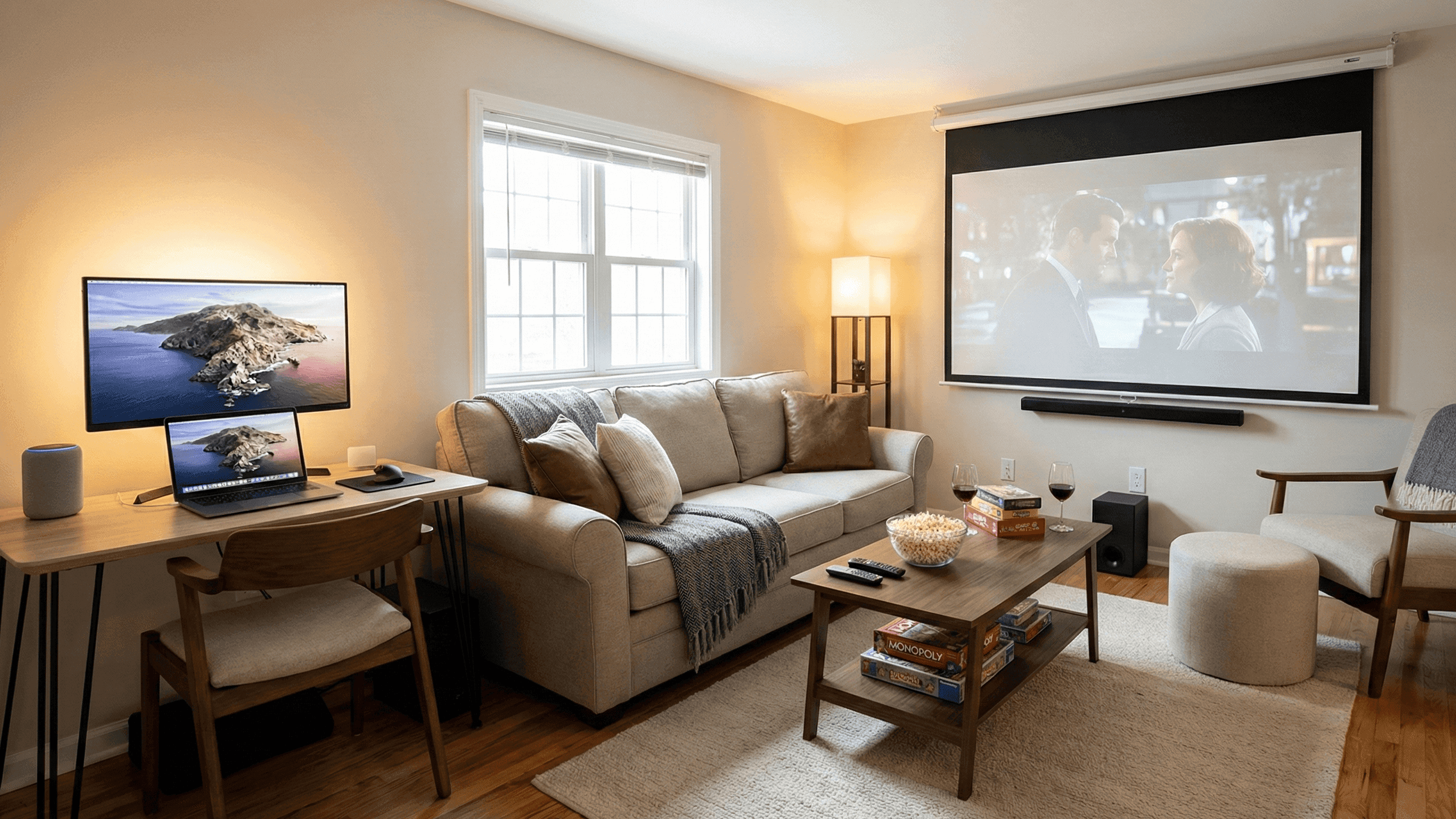
Multifunction Living Room: One Space for Work, Movies, and Guests

I have lived in apartments where the living room was doing four jobs simultaneously and none of them particularly well. The desk was always in the way of the sofa. The sofa was always blocking where the guest mattress needed to go. The cables for the TV setup crossed the floor where guests inevitably walked. The whole room felt like a negotiation between competing functions that never quite resolved.
What changed things was not buying new furniture or finding a bigger apartment. It was thinking about the room differently. Instead of trying to fit all four functions into the room simultaneously and managing the friction between them, I started thinking about switching the room between functions, with each transition taking a few minutes rather than a major reorganisation.
This reframe made everything more manageable. A room that can be an office in the morning, a living room in the evening, and a comfortable guest space for visitors is not a room that does all three things at once. It is a room where each function has a defined setup and a defined pack-away, and the transitions between them are quick because everything has a place to go.
Starting With Zones Rather Than Functions
The first practical step is identifying where in the room each function naturally lives, and accepting that the zones do not need to be equal in size.
In most compact living rooms, the TV wall and the seating in front of it define the main zone. Everything else arranges itself around this anchor. The work zone tends to work best in a corner or against a wall that is not the TV wall, so looking away from the entertainment area feels natural during working hours. The guest zone is wherever the seating converts to sleeping space, which in most apartments means the sofa itself.
You do not need physical dividers between zones. The distinction between them can be maintained entirely through lighting, which is both cheaper and more flexible than furniture-based zone separation. Work lighting is bright and neutral, appropriate for focus and productivity. Evening lighting is warm and dim, appropriate for relaxation and entertainment. Guest lighting is gentle, with a source near where people sleep rather than overhead. These three lighting modes do most of the psychological work of zone definition.
Rugs are the other effective zone marker. A rug under the sofa and coffee table defines the sitting area. A rug or mat under the desk defines the work corner. The floor between them is transition space. This costs nothing if you already have rugs and makes the room feel more intentional even when the functions are overlapping.
Furniture That Earns Its Floor Space
In a small room, every piece of furniture should either serve multiple purposes or earn its place by being genuinely excellent at its single purpose. Furniture that takes up significant floor space while doing one thing mediocrely is the fastest way to make a compact room feel cramped and chaotic.
The sofa is the most important purchase decision in a multifunction living room. A sofa-bed or daybed that provides good daily seating and converts to a comfortable sleeping surface without a half-hour setup process is worth significantly more in a small apartment than an equivalent budget spent on a sofa alone. The key quality indicator for sofa-bed purchases is the mattress thickness and support: a thin, foam mattress in a sofa-bed makes guests uncomfortable and makes them reluctant to visit, which defeats the purpose. Spending more on a sofa-bed with a proper mattress section is worth it.
The desk or work surface should disappear at the end of the working day. This is more a habit requirement than a furniture requirement, but certain furniture choices make it easier. A wall-mounted fold-down desk takes up zero floor space when not in use. A lift-top coffee table converts between coffee table and working surface at seated height. A small console table used as a desk puts all work materials at one end of the sofa area and creates a natural compartmentalisation between work and relaxation. Any of these works better than a dedicated desk that stays visible and mentally present during non-working hours.
Extra seating for guests does not need to live in the main room permanently. Stacking stools, folding chairs that hang on the back of a door, and large floor cushions that store in an ottoman all handle the occasional extra guest scenario without occupying permanent floor space on ordinary evenings.
Managing the Work-to-Living Transition
The point of having work materials pack away at the end of the day is partly practical, to clear the table for other uses, and partly psychological. Research on working from home consistently finds that visual separation between work space and living space helps people mentally switch off. In a one-room-for-everything apartment, the only way to create that visual separation is through the pack-away habit.
The pack-away needs to be genuinely quick, or it will not happen consistently. If putting work things away takes more than five minutes, you will find yourself leaving the laptop out "just for tonight" and then never fully putting it away. The target is two to three minutes: laptop in case, cables coiled and in the same place, notebook closed and shelved, any work papers in a drawer or folder.
A dedicated storage location for work materials makes the pack-away automatic rather than a decision. A shelf or drawer that is exclusively for work things means there is no deliberation about where to put items, just the physical act of returning them to their place. The same logic applies to the reverse transition: when work materials come out of their designated space, that is a cue to work rather than a gradual drift into checking emails from the sofa.
The Entertainment Setup in a Compact Room
A compact living room does not need elaborate entertainment equipment to function well for evening relaxation and movie watching. It needs the right equipment at the right scale for the space.
Screen size is the variable that most people get wrong in small rooms, typically by choosing a screen that is too large for the viewing distance available. A 65-inch television in a room where the sofa is two metres from the screen is not an upgrade from a 50-inch. It is visually overwhelming and makes detail harder to process rather than easier. Match the screen size to your actual viewing distance: for two to two and a half metres, a 50-inch screen is the sweet spot. For three metres or more, you can comfortably go to 55 or 60.
Sound is where compact rooms have a natural advantage. The reflective surfaces of a small room actually help speakers sound fuller without needing high volume. A single good soundbar under the television handles most movie and television audio effectively, takes up no floor space, and connects to modern televisions with one cable. A separate wireless subwoofer that tucks beside the sofa adds bass impact without requiring speaker placement decisions.
If you use smart home technology, a movie scene that dims the lights to a warm low level and switches the television input to your streaming device in one voice command or button press makes the transition from working to watching feel like a proper mode change rather than a fumble with multiple remotes.
Making Guest Visits Work Without Overpreparing
Hosting guests in a small apartment requires accepting that the apartment will be temporarily reconfigured and that this is a normal part of living in a small space rather than a problem to be solved by buying more equipment.
The sofa-bed or foldable sleeping solution is the foundation. Around that, two things make the guest experience significantly better without requiring dedicated guest room infrastructure. A small surface near where they sleep, even a stool or folding side table, to hold a phone, water, and reading materials, so they do not have to navigate the room in the dark if they wake up. Access to a charging point near the sleeping area without running a cable across the main floor.
Guest bedding stored in one identified place, ideally an ottoman or storage bench that also serves as seating, makes the setup and pack-away quick for both host and guest. A single dedicated storage location means the bedding does not get distributed across different cupboards and the whole exercise takes five minutes rather than a scavenger hunt.
The daily reset matters for guest visits more than at any other time. A living room that is already tidy and functional at the end of the working day converts to guest accommodation in minutes. One that has accumulated the gradual clutter of a busy week requires a cleaning session before it is presentable, which adds friction to the prospect of hosting and tends to mean it happens less often.
The Daily Reset as the Glue That Holds Everything Together
Every multifunction room eventually fails without a daily reset habit. The room gradually accumulates the residue of multiple functions, work materials migrating to the coffee table, blankets from evening watching left on the sofa, guest items not properly stored, and over time the overlap between functions becomes permanent clutter rather than managed transition.
A five-minute reset at the end of each day prevents this. Work materials to their shelf. Remote controls to their tray. Blankets folded and in the ottoman. Coffee table clear. Charging cables returned to their clips. This is not cleaning. It is restoration of a functional state that allows the room to switch modes the next day without friction.
The test of a well-designed multifunction room is how quickly you can shift it from one mode to another. Work to relaxation: five minutes of pack-away plus a lighting change. Relaxation to guest accommodation: pull out or convert the sofa-bed, retrieve bedding from storage, add a side surface near the sleeping area. Guest accommodation to normal living: fold the bed, return bedding, quick tidy. None of these should take more than ten minutes. If they do, something in the setup is not working and it is worth identifying what rather than living with the friction indefinitely.
I have been making a single living room work as office, living room, and occasional guest space for three years. The habit that holds all of it together is the daily five-minute reset. Without it, the room would stop working within a week.

