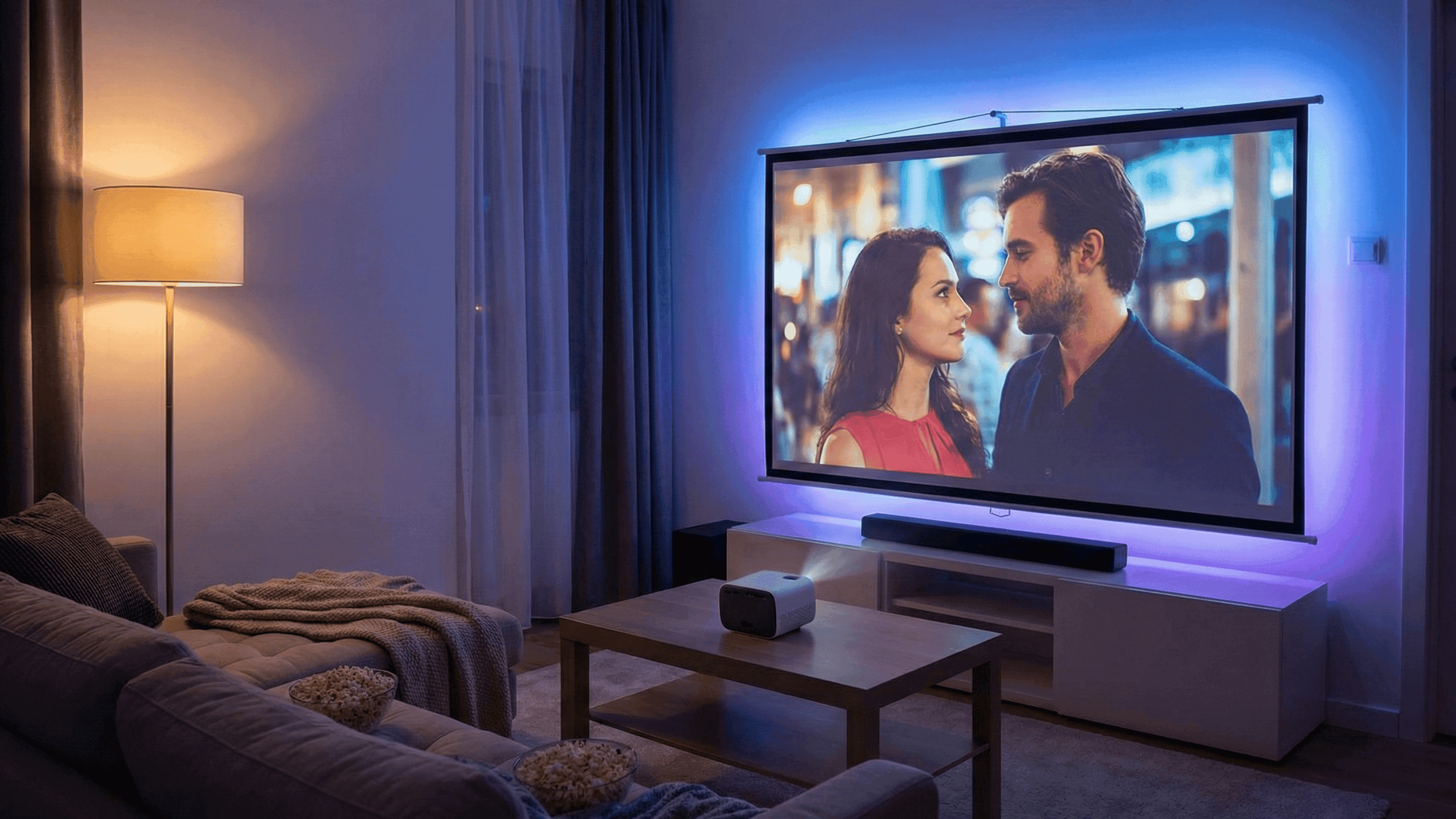
How to Build a Movie‑Night Setup in a Tiny Living Room

There is a specific disappointment that comes from finishing a long week, putting on something you have been looking forward to watching, and spending the first twenty minutes half-watching and half-distracted by the fact that the room does not feel right. The lighting is wrong. The sound is thin. You are sitting at the wrong angle to the screen. The general atmosphere is the same as it is when you are eating cereal at 7 AM, which is the opposite of what you want when you are trying to feel like you are watching something properly.
I live in a compact apartment and I have thought about this problem more than is probably reasonable. What I have found is that the movie-night feeling is almost entirely created by four variables: screen, sound, light, and seating. Get all four pointed in the right direction and a small living room genuinely feels different for watching films than it does for doing anything else. Get any one of them wrong and the whole thing feels like a compromise.
None of this requires a big room or an expensive setup. It requires making deliberate choices about what you are putting in the room and how you are using it.
Screen: Size and Calibration Matter More Than Brand
The first thing most people get wrong with television selection is choosing a screen that is too large for their viewing distance. A large screen in a small room is not automatically better. Sitting too close to a large screen means your eyes are moving constantly to take in the full frame, which is tiring over a two-hour film. You also start to see individual pixels and compression artefacts that a further-away viewer would not notice, which makes the picture look worse rather than better.
The practical sizing guidance: if your sofa is around two metres from the screen, a 50-inch television is the sweet spot. At two and a half metres, you can go to 55. At three metres, 65 is reasonable. Beyond that, you are into genuine home cinema territory rather than compact living room territory.
Within the right size range, the picture settings matter more than the difference between most mid-range and premium screens. Every television ships with factory settings optimised for showroom brightness, which makes images pop under fluorescent lights but looks washed out and unnatural in a home environment. The Movie or Cinema picture mode, available on virtually every television, applies settings that are closer to how the content was intended to look: darker, warmer, with more accurate colour. Switching to this mode and then reducing the backlight by another twenty or thirty percent for evening viewing will make a mid-range television look significantly better than it does out of the box.
If you have any option between a television with a local dimming or OLED panel versus a standard LED panel, the difference is most visible in dark scenes, which is where the cinema experience lives. Films with significant night-time scenes, or anything with strong visual contrast, look substantially better on screens that can produce deep, genuine blacks. For television and sports content it matters less.
Sound: Good Enough Is a Real Standard Worth Aiming For
The built-in speakers in flat televisions are universally poor because the panels are too thin to house anything useful. Any dedicated external audio system is a meaningful improvement, and the gap between built-in speakers and a basic soundbar or pair of small speakers is large enough to noticeably change how you experience films.
For a compact living room used primarily for television and films, a soundbar is the practical choice. A mid-range soundbar with a wireless subwoofer takes about ten minutes to set up, connects to the television with a single HDMI cable, and is controlled with the television remote. The night mode feature, which reduces sudden volume spikes between quiet and loud moments, is specifically useful in apartments where neighbours are nearby.
If you care about music as much as films, a pair of small bookshelf speakers with an amplifier produces more accurate and spacious sound than an equivalent soundbar, at the cost of more complex setup and more visible hardware. This is genuinely better for music listening and noticeably different for film audio. The trade-off is whether the additional setup and permanent presence of two speakers suits your room.
Placement matters for either option. A soundbar should be at roughly ear height and flush with the front edge of its surface, not pushed back under an overhanging shelf. Bookshelf speakers should be at approximately ear level when seated and angled slightly toward the main listening position. The sound from either system will be better than you expect once it is positioned properly, and worse than it should be if it is positioned thoughtlessly.
Lighting: The Variable With the Highest Return for the Lowest Cost
Of the four variables, lighting is the one where the gap between getting it right and getting it wrong is largest relative to what it costs to address. Good movie lighting costs almost nothing: it is about turning certain lights off and adding or repositioning inexpensive ones.
The overhead light, the ceiling fixture most people use as their default, is the worst possible movie light. It illuminates the room from above with even, bright light that washes out the television screen and eliminates any sense of atmosphere. It is functional for cleaning and getting dressed. It is actively bad for watching films.
The movie lighting configuration that works in a compact room: the main overhead light off, replaced by one or two floor lamps or table lamps positioned behind and to the sides of the sofa. The light level should be enough to navigate the room comfortably, perhaps enough to read in an emergency, but not enough to compete with the television screen. A warm colour temperature, around 2700 to 3000 Kelvin, is significantly more comfortable for extended viewing than a neutral or cool white.
An LED strip behind the television, commonly called bias lighting, reduces the apparent contrast between the bright screen and the dark wall around it, which reduces eye strain over a long viewing session. This is a genuine functional improvement rather than just aesthetics. The strip should be warm white rather than colour-changing for film watching, positioned so it illuminates the wall behind the screen without being directly visible from the sofa.
Smart bulbs set to a movie scene that activates with a voice command or a button press make this transition instant. Without smart lighting, the manual routine of switching off the main light and switching on the lamps takes about thirty seconds and is worth doing consistently rather than settling for overhead lighting because the alternative requires getting up.
Seating: Position First, Comfort Second
The seating configuration in a small room is often fixed by furniture size and room layout. What is worth revisiting is the position relative to the screen and the height at which you are watching.
The ideal position is directly in front of the screen, centred horizontally, with your eyes at roughly the vertical midpoint of the screen when seated. If your furniture arrangement puts you off-centre, the television can usually be angled on its stand or mount to compensate. Watching a film while looking at the screen at a noticeable angle degrades colour accuracy and contrast on most television types.
Eye height relative to the screen matters more than most people adjust for. A television placed at the height of a standing adult's eye level, which happens when it is mounted high on a wall, requires you to look slightly upward when seated, which becomes uncomfortable over a full film. The centre of the screen should be close to seated eye level, which for most seating positions is significantly lower than many wall mounts are installed.
Comfort during a two-hour film is partly about the sofa itself and partly about how you use it. Back support matters more during long viewing sessions than it does for casual sitting. A firm throw cushion behind your lower back if your sofa is deep and soft makes two hours substantially more comfortable than without it. Having a specific place to put a drink within reach without leaning forward repeatedly seems minor but removes a persistent small irritation over the course of a film.
The One-Button Transition
The final piece is making the switch from normal living room to movie mode as frictionless as possible. A setup that requires adjusting four different things before you can start watching creates enough friction that you end up watching in non-ideal conditions because adjusting everything feels like too much work.
If you have smart home technology, a scene called something like "Movie Night" that dims the lights to the right level and switches the television input to your streaming device is the ideal. One voice command or one button press, and the room is configured.
Without smart technology, the same effect can be approximated by plugging your floor lamp and soundbar into the same power strip, so one switch handles both. Using HDMI-CEC on the television, which is a setting in the television's menu that allows the TV remote to control connected devices, means the soundbar turns on automatically when the television does. Keeping the television remote and any other necessary remotes in a single obvious place means you are not hunting for anything before the film starts.
The ritual of movie night, the deliberate transition from everyday mode to watching mode, is part of what makes it feel different from just having the television on in the background. Making that transition fast enough to be worth doing consistently is what separates a living room that is good for watching films from one that is technically set up for it but where you end up watching in suboptimal conditions most of the time.
I have watched films in the same living room in very different conditions depending on how much attention I paid to these four variables. The difference between overhead lights and no soundbar versus proper setup is genuinely large. It is not about equipment quality as much as about using what you have correctly.

