Bringing It All Together: How to Create Your First Smart Home Routines

The moment a smart home stops feeling like a collection of individually controlled gadgets and starts feeling like an actual system is usually the moment you set up your first routine. It is a specific shift that most people remember clearly. Saying one phrase and watching multiple things happen in sequence, lights adjusting, the fan switching off, the coffee maker starting, all without any further input from you, produces a reaction that is somewhere between satisfaction and mild disbelief.
I had that moment in my second week of using smart home devices. I said goodnight to the Echo and every light in the apartment switched off, the bedroom fan dropped to low, and Do Not Disturb enabled on my phone. I had set that up myself in about eight minutes and I immediately understood why people got into this.
Routines are where the investment in smart home hardware actually pays off. Individual voice control is convenient. Routines make the home feel like it is working for you rather than waiting for instructions.
What a Routine Actually Is
A routine has two parts: a trigger and a set of actions. The trigger is what starts it. The actions are what happens as a result.
Triggers can be a voice command you say to your assistant, a specific time of day, your phone entering or leaving a geographic area, a sensor detecting something like motion or a door opening, or a device reaching a certain state. Actions are anything your connected devices can do: turn on or off, change brightness or colour, adjust temperature, play audio, send a notification, or trigger other routines.
The combination is simple to understand but genuinely powerful in practice. You are building small conditional programs for your home, expressed in plain language rather than code, that run reliably every time their trigger fires.
Both the Amazon Alexa app and the Google Home app have dedicated sections for creating routines. The interface is similar in both: you choose a trigger, then add actions one at a time, arranging them in the order you want them to happen. The whole process for a basic routine takes about five minutes.
The Three Routines Worth Building First
After four years of building and adjusting smart home routines, the three that have proven consistently useful across every setup I have had are a morning routine, a leaving routine, and a bedtime routine. They are worth building first because they attach to the natural structure of your day and immediately make themselves felt.
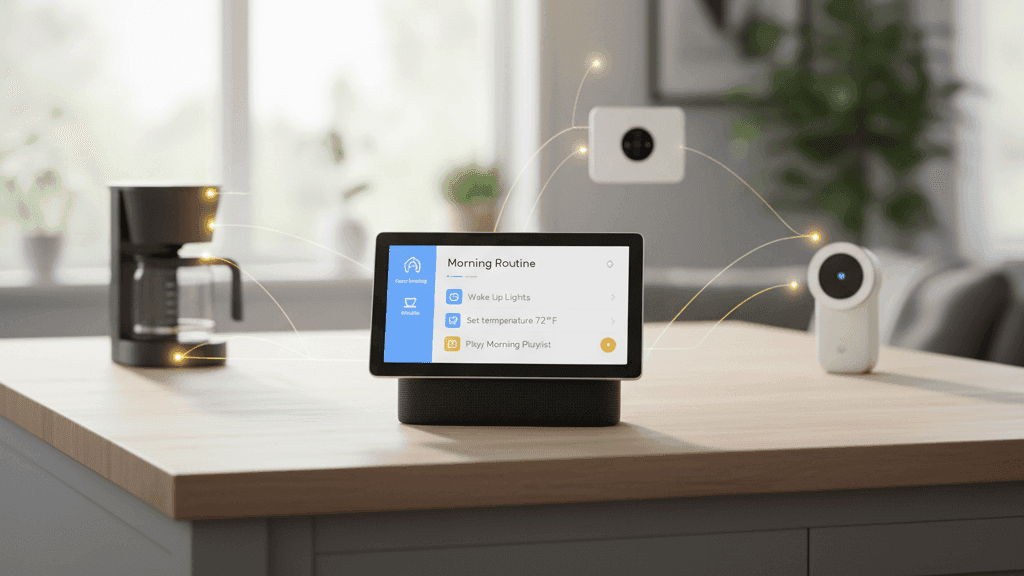
The morning routine runs on a voice trigger when you say good morning, or on a scheduled time if you want it to be fully automatic. What it does should reflect what your actual morning looks like. Mine starts the bedroom light at a low brightness, switches the kettle plug on so the water is boiling before I get to the kitchen, adjusts the thermostat from its night setting to the daytime temperature, and starts a brief weather summary through the speaker. The whole thing plays out in about forty-five seconds from one phrase.
The key to a good morning routine is restraint. It is tempting to add everything, but a routine with twelve actions takes longer to complete and has more failure points than one with four. Add the things that matter to your actual morning and leave the rest. You can always extend it later once you know what you actually need.
The leaving routine is the one with the most immediate practical impact for most people. When triggered, either by a voice command or automatically when your phone's geofencing detects you have left the house, it switches off every light, cuts power to the non-essential smart plugs, adjusts the thermostat to a lower energy-saving setting, and switches the home to away mode if you have security devices.
The anxiety about whether you left something on, which is a low-level background stress that most people carry without fully registering it, disappears when this routine is running reliably. You leave and you know the home handled itself. There is nothing else to think about.
For the leaving routine, I recommend starting with a voice trigger rather than pure geofencing. Geofencing is useful but it adds a layer of complexity, and getting the departure routine wrong, having it trigger while someone is still home, is more disruptive than the convenience of full automation is worth early on. Say "I'm leaving" before you go, confirm it works correctly for a few weeks, then experiment with geofencing once you trust the underlying automation.
The bedtime routine runs when you say goodnight, typically from wherever you are in the apartment. It turns off all lights except perhaps one dim lamp in the hallway for navigation, adjusts the bedroom temperature to your sleeping preference, silences the voice assistant's notifications, and optionally starts a white noise playlist or similar for sleep. Like the leaving routine, it eliminates a small but recurring task, the process of going around the apartment switching things off, without requiring you to think about it.
Building Your First Routine Step by Step
Open the Alexa app or Google Home app on your phone. Find the Routines section, which in Alexa is in the menu on the left, and in Google Home is accessible through the Automations section. Tap to create a new routine.
The first step is choosing your trigger. For a morning or bedtime routine, a voice command is the simplest starting point. For Alexa, you type in exactly what you want to say, something like "good morning" or "goodnight." For Google Home, the process is similar. You can add alternative phrases if you want variations to work as well.
Once the trigger is set, start adding actions. For the morning routine, add your light adjustments first, then any smart plug actions like the coffee maker, then any audio actions like a weather briefing. For the bedtime routine, add lights off, then temperature adjustment, then notification silencing, then any audio.
The order of actions matters. Alexa and Google Home execute them sequentially, so if you want the lights to dim before the audio starts, put the light action first. Adding a short pause between actions is also possible in both apps and is worth doing if you want a more deliberate pacing rather than everything triggering simultaneously.
Save the routine and test it immediately. Say the trigger phrase and watch what happens. If any action does not fire correctly, the most common causes are a device being offline, a device name mismatch between what the routine expects and how the device is registered in the app, or a grouping issue where you included a group of devices but one in the group is unreachable. Each of these is fixable and usually takes a minute to diagnose once you know what to look for.
What to Do Once the Basics Are Working
The three core routines are the foundation. Once they are running reliably and you have lived with them for a few weeks, you will naturally start to notice other moments in your day where a routine would remove friction.
A work from home focus routine that triggers when you sit at your desk is worth building if you work at home regularly. Lights at full brightness in a cool neutral white, the notification sound on the smart speaker silenced, and the door sensor alerting you if the front door opens during working hours. Simple, useful, very easy to set up.
A guest routine that temporarily overrides your usual automations when someone is visiting is worth having. The easiest version is just a scene that turns all lights to a comfortable level and ensures nothing cuts automatically to off while someone who does not know your system is in the home.
A weekend version of your morning routine is worth building once you notice your weekday routine firing at 6:30 AM when you wanted to sleep until 8. Either create a separate weekend routine with a different trigger and time, or add conditions to your existing routine that check the day of the week before running.
The routines that end up being most useful are not usually the ones you plan in advance. They are the ones that emerge from noticing specific friction in your actual daily life and building a short automation to remove it. That process of observation and iteration is what makes a smart home gradually feel like it fits around you specifically rather than around a generic user.
The first routine I ever built was a goodnight routine that took about eight minutes to set up and has run without meaningful changes for three years. That is the standard I hold all routines to: worth the setup time and reliable enough to forget about.


