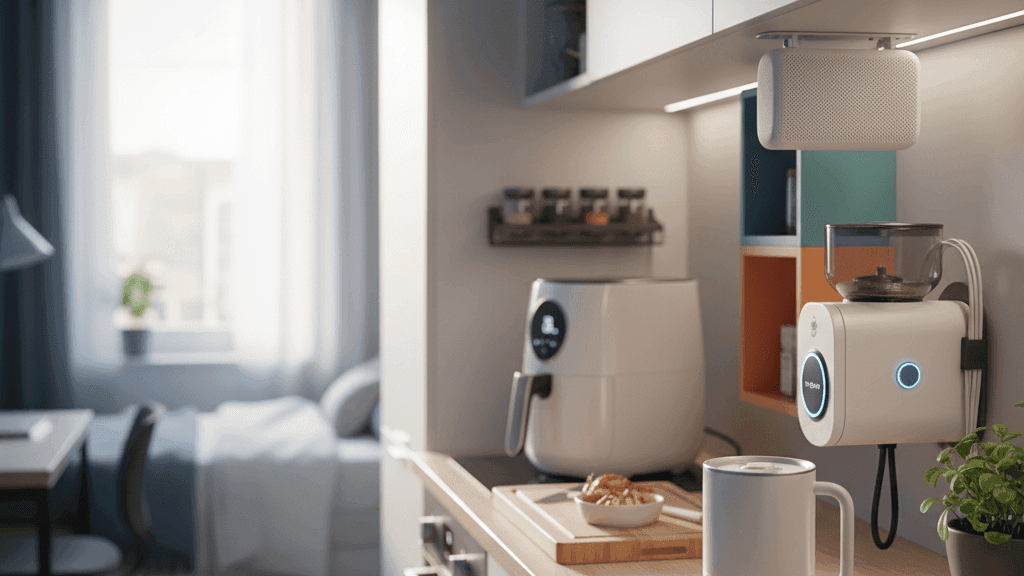
5 Smart Kitchen Hacks for Tiny Apartments or Dorms

Look, I get it. Your kitchen is the size of a closet. You've got maybe two feet of counter space, one electrical outlet that's probably from the 1980s, and a microwave that doubles as your only appliance storage shelf. Welcome to apartment and dorm life, where cooking anything more ambitious than instant ramen feels like a logistical nightmare.
But here's something most people don't realize: smart kitchen tech has actually gotten really good for small spaces. Companies finally figured out that not everyone lives in suburban houses with massive kitchens. The new generation of smart appliances is compact, portable, and designed specifically for people who measure counter space in inches instead of feet.
I've lived in three different tiny apartments over the past five years. My current kitchen has exactly 18 inches of usable counter space between the sink and the stove. Through a lot of trial and error (and some spectacularly bad purchases that immediately got returned), I've figured out which smart kitchen gadgets actually earn their spot in cramped spaces and which ones are just expensive paperweights.
Let me show you the five hacks that transformed my shoebox kitchen from dysfunctional disaster into something that actually works.
Hack 1: Ditch Your Stove for a Portable Induction Cooktop
This is the single biggest game changer for tiny kitchens. If you've got a sad little two-burner electric stove that takes 15 minutes to boil water, or worse, one of those ancient coil burners that heat unevenly and are impossible to clean, you need to know about portable induction cooktops.
These things are legitimately incredible. They're flat, they're about the size of a large dinner plate, and they plug into any regular outlet. When you're not using them, you can slide them into a drawer or cabinet. But when you pull them out, they heat faster and more precisely than almost any traditional stove.
The Duxtop 9600LS is the one I've been using for two years now, and I genuinely can't imagine going back to a regular stove. It's got 20 temperature settings ranging from 140 degrees for melting chocolate to 460 degrees for searing steaks. The display shows both temperature and power level, so you actually know what's happening instead of guessing whether "medium" on your ancient stove knob means 200 or 350 degrees.
But the real magic is how fast it heats. I can boil a pot of water for pasta in under four minutes. My old electric coil burner took closer to 12. That time difference matters when you're starving after class or work and don't want to wait forever for dinner.
Here's the part that blew my mind when I first got one: induction cooking doesn't heat the burner itself. It creates a magnetic field that heats the pan directly. Which means the cooking surface around your pan stays cool. No more burning your hand on the stove when you reach for something. No more splatters getting baked onto a hot surface and turning into impossible-to-clean carbon deposits.
Cleanup is literally just wiping down a flat glass surface. Takes 10 seconds.
The only catch is that your cookware needs to be magnetic for induction to work. Cast iron and stainless steel are fine. Aluminum and copper won't work unless they have a magnetic base. You can test your existing pots by seeing if a magnet sticks to the bottom. If it does, you're good to go.
For apartment and dorm living, the portability factor is huge. When I moved to my current place, I just unplugged it and threw it in a box. Set it up in the new apartment in about 30 seconds. Compare that to dealing with a traditional stove installation, and you see why this is perfect for renters.
The Duxtop runs about $70 to $80 depending on sales. There are cheaper options like the Hamilton Beach single burner for around $40, which works fine if you're on a tight budget. The trade-off is fewer temperature settings and slightly less responsive controls.
If you've got a bit more space and cook for multiple people, the dual-burner versions from brands like Ciarra give you two cooking zones in one compact unit. Still way smaller than a traditional stove, and you can make rice and stir-fry simultaneously instead of having to cook everything in sequence.
One note for dorm residents: check your housing rules before buying. Some colleges ban induction cooktops because they technically count as hot plates, which many dorms prohibit. If yours allows them, though, this is hands down the best cooking upgrade you can make in a tiny kitchen.
Hack 2: Get a Smart Blender That Actually Does Something Useful
Most blenders are dumb appliances. You pour stuff in, hit a button, blend until it looks right, pour it out. The "smart" versions just add WiFi connectivity and a companion app that you'll use exactly once before never opening again.
But the Xiaomi Smart Blender is different, and it's genuinely useful in ways that justify the "smart" label.
First, the basics: it's a compact machine (takes up about as much space as a regular coffee maker) that can make both hot and cold blends. Hot soups, cold smoothies, whatever you need. The 1.6 liter capacity is perfect for one or two people without being so big it dominates your counter.
What makes it smart is the app control combined with built-in heating. Here's how I actually use it: I wake up in the morning, dump ingredients for soup or oatmeal into the blender jar before I leave for work, then schedule it through the Mi Home app to start cooking 30 minutes before I get home.
When I walk through the door, hot soup is ready. No standing around cooking. No coming home to an empty fridge and deciding between expensive takeout or skipping dinner because you're too tired to cook.
The app has hundreds of pre-programmed recipes for different foods. You pick what you're making, and it automatically adjusts blending speed, cooking temperature, and duration. Making soy milk? It knows to soak, blend, heat, and cook in the right sequence. Smoothie? Different program that skips the heating entirely.
The keep warm function is clutch for small kitchens. If your soup finishes cooking but you're not ready to eat yet, it'll hold it at the perfect temperature for up to four hours. No reheating needed, no worrying about food getting cold.
Cleaning is where this thing really shines compared to traditional blenders. There's a self-cleaning mode where you just add water and a drop of dish soap, hit the button, and it cleans itself. The eight stainless steel blades are positioned at multiple angles so nothing gets stuck in corners.
The glass jar is high borosilicate glass, which is the same stuff lab beakers are made from. It handles temperature swings from ice-cold smoothies to boiling soup without cracking. I've had cheaper blenders where the plastic pitcher got cloudy and gross after a few months. This one still looks brand new after a year of daily use.
Battery backup is a feature I didn't think I'd care about until my apartment's power went out during a storm. The blender remembered where it was in the cooking program and resumed when power came back instead of starting over or just giving up entirely.
Real talk: this costs more than a basic blender. You're looking at something in the range of $80 to $120 depending on where you buy it. But for tiny kitchens where counter space is precious, having one appliance that makes smoothies, soups, nut milks, and sauces replaces needing separate machines for each task.
The app connectivity works with both iPhone and Android. Setup takes maybe five minutes, and then you can control everything remotely or just use the OLED knob on the device itself if you don't feel like pulling out your phone.
For dorm students especially, this is fantastic because you can cook real meals in your room without needing access to a shared kitchen. Soup, porridge, even pasta sauce if you're creative. It's opened up way more cooking options than I thought possible in such a small space.
Hack 3: Turn Your Fridge Into an Organized Machine With Smart Storage
Here's a truth nobody talks about: tiny fridges are chaotic nightmares by default. You shove groceries wherever they fit, forget what you have in the back, and end up letting food spoil because you can't see it behind the milk jug.
Smart fridge organization isn't about buying a $4,000 smart refrigerator with cameras and touchscreens. Those are insane overkill for small spaces. It's about using intelligent storage solutions that maximize the limited space you have and help you actually track what's inside.
The foundation is clear, stackable storage containers. I use the IKEA KLIPPKAKTUS series because they're specifically designed for fridge use, they stack perfectly to utilize vertical space, and the clear plastic lets you see contents at a glance.
But here's where it gets smart: I labeled each container with a NFC tag (those tiny stickers that cost like 20 cents each). When I put groceries away, I tap my phone to the container's tag and log what's inside and when I bought it. When I'm at the grocery store wondering if I still have tomatoes, I can check the app instead of trying to remember or making a pointless extra trip home.
The KLIPPKAKTUS containers come in different sizes. The long narrow ones (32x10x8 cm) are perfect for deli meat, cheese, and similar items. The deeper baskets work for vegetables. The turntable is genius for condiments because you can spin it to reach stuff in the back without pulling everything out.
For drinks and liquids, the container with the tap dispenser holds 4.5 liters and has a built-in spout. I use it for cold brew coffee or iced tea. Saves so much space compared to having multiple bottles rolling around loose.
Here's the system that changed everything for me: I created zones in my tiny fridge. Top shelf is leftovers and ready-to-eat food with the soonest expiration dates. Middle shelf is dairy and eggs. Bottom shelf is produce in the storage baskets. Door shelves are condiments and drinks only.
Each zone has its own container type, and everything has a designated spot. When I need to find something, I know exactly where it lives. No more digging through chaos trying to locate that jar of pickles you bought three weeks ago.
The smart part comes from using your phone's camera and apps like FreshBox or NoWaste. Take a photo of items when you store them, and the app uses image recognition to identify the food and automatically set expiration reminders. Three days before your lettuce is likely to go bad, you get a notification reminding you to use it.
For meal planning, this is insanely helpful. On Sunday, I look at what's about to expire and plan meals around using those ingredients first. Reduces food waste dramatically, which saves money and feels way less wasteful.
Temperature monitoring is another layer you can add if you want to get really into optimization. Smart temperature sensors like the SensorPush sit in your fridge and track temperature over time through a phone app. If your fridge starts running too warm (which happens in older apartments with aging appliances), you get an alert before food spoils.
This seems excessive until your fridge dies overnight and ruins $100 worth of groceries. The $40 sensor pays for itself the first time it catches a problem early.
The storage boxes themselves range from about $5 to $15 each depending on size. Starting with just a few key containers and building out your system over time works fine. You don't need to buy the whole set at once.
What makes this hack work for tiny kitchens specifically is that organized storage fits way more food in the same physical space. When everything is tetris'd perfectly into stackable containers instead of randomly shoved in bags and boxes, you maximize every cubic inch.
My fridge is objectively tiny (it's a mini fridge that barely qualifies as "full size"), but with this organization system I can fit a full week of groceries plus leftovers. Before implementing this, I could barely fit three days of food before running out of space.
Hack 4: Replace Your Coffee Maker With a Smart One That Actually Saves Space
Coffee makers are counter space black holes. The traditional drip machines are huge, bulky, and sit there taking up room 24/7 even though you only use them for 5 minutes each morning.
Smart coffee makers designed for small spaces solve this by doing more with less room. The ones worth buying combine multiple functions (regular coffee, espresso, milk frothing) in a single compact footprint.
The Budan One Touch Coffee Machine is the perfect example of smart design for tight spaces. It's smaller than most traditional coffee makers, but it handles both capsule pods and ground coffee. That versatility means you can use convenient pods when you're rushing in the morning, then switch to fresh grounds on weekends when you have time to make proper coffee.
The one-touch operation is legitimately simple. No confusing menus or settings to configure. Press button for espresso. Press different button for lungo. Done. The 15-bar pressure system delivers proper espresso with actual crema, which cheaper machines can't match.
What makes it "smart" is the integration capability. Through WiFi connection (using apps like the VeSync platform for similar machines), you can schedule brewing times. Set it up the night before with water and coffee, then have it automatically brew 10 minutes before your alarm goes off. Wake up to fresh coffee already made.
The descaling reminder feature tracks usage and alerts you when it's time for maintenance. This matters more than you'd think. Buildup from hard water kills coffee makers fast. Having the machine tell you "hey, clean me now" instead of guessing extends its lifespan significantly.
For tiny kitchens, the space-saving aspect is huge. Measure it: most standard drip coffee makers are 12-14 inches wide and 10-12 inches deep. A compact machine like the Budan One Touch is closer to 6 inches wide and 10 inches deep. That difference matters when you're measuring counter space in single digits.
Alternative option if you want to go even smaller: single-serve machines like the Keurig K-Mini are under 5 inches wide. They make one cup at a time, which is perfect for solo living or when you're the only coffee drinker in the apartment.
The programmable features on smart coffee makers save time in ways that add up over months. Not having to stand there waiting for coffee to brew means you can shower, get dressed, or make breakfast while it works. Shaves 5-10 minutes off your morning routine, which matters when you're perpetually running late.
Maintenance is simpler too because smart machines tell you what they need instead of you having to remember. Cleaning cycles, filter replacements, descaling schedules, all managed through app notifications.
Cost-wise, expect to pay $60-120 for a decent smart coffee maker with app connectivity. The capsule/ground coffee hybrid models are at the higher end of that range. Pure pod machines or basic models with just WiFi connectivity and scheduling fall on the cheaper end.
For dorm students, check your housing rules about coffee makers. Most allow them now, but some older dorms still have restrictions. If yours permits it, this is one of the best quality of life upgrades you can make.
The energy efficiency angle is worth mentioning too. Smart coffee makers automatically shut off after brewing instead of keeping a hot plate running for hours like old-school drip machines do. Over a semester or year, that saves actual money on electricity bills.
One tip: if you're buying a new coffee maker for a small space, prioritize vertical storage over horizontal. Tall and skinny beats short and wide when counter space is limited. You've usually got more room going up than spreading out.
Hack 5: Add a Smart Food Scale That Syncs With Your Phone
This sounds like the most unnecessary gadget on the list. Why would you need a scale that connects to your phone when a regular digital scale costs $10 and works fine?
Because a smart food scale solves problems you didn't realize you had until you use one for a week.
The RENPHO Smart Food Scale is the one I recommend for small kitchens because it's compact (about the size of a paperback book), accurate to 1 gram, and the app integration is actually useful instead of gimmicky.
Here's what it does that regular scales can't: automatic nutrition calculation. You place food on the scale, scan its barcode or select it from the database, and instantly see calories, protein, carbs, fat, and micronutrients. No manual lookup, no guessing, no math.
For anyone trying to eat healthier, lose weight, or hit specific nutrition targets (which is basically every college student trying to avoid the freshman 15), this removes all the friction from tracking food intake.
The app syncs with MyFitnessPal, Apple Health, Google Fit, and most major nutrition tracking platforms. Weigh your chicken breast, tap a button, and it logs directly to your food diary. Takes 5 seconds instead of the usual routine of weighing, googling nutritional info, calculating portions, and manually entering everything.
The barcode scanner is shockingly comprehensive. I've scanned random packaged foods from local Indian grocery stores, and it found nutritional data for like 90% of them. The built-in database has over 10 million foods, and it's continuously updated with new products.
For meal prep, the tare function combined with app tracking is perfect. Put your container on the scale, zero it out, add rice, log it. Zero again, add chicken, log it. Zero, add vegetables, log. One container, five ingredients, all tracked accurately in under a minute.
Recipe scaling is another genuinely useful feature. Find a recipe online that serves six people but you're cooking for one? Enter the recipe into the app, tell it you want a single serving, and it automatically calculates how much of each ingredient you need. Then you can weigh directly on the scale as you add ingredients, and it shows progress bars telling you when you've added the right amount.
The Dr Trust USA Smart Nutrition Food Kitchen Scale is another popular option in India, with the same app connectivity features and slightly better capacity (up to 5kg versus RENPHO's 3kg limit). Matters if you're weighing larger items like whole chickens or big bags of rice.
For tiny kitchens, the space consideration is important. These smart scales are thin enough to slide into a drawer or cabinet when not in use. They're battery-powered, so no cord cluttering your limited counter space.
The accuracy matters more than you'd expect. Regular cheap scales can be off by 10-20 grams, which doesn't sound like much until you realize that's the difference between 200 and 220 calories. Do that multiple times per day over months, and the error compounds into real impacts on your nutrition tracking.
Professional models used by nutritionists and dietitians are accurate to 0.1 grams, but those cost hundreds of dollars. The consumer smart scales hit 1 gram accuracy for under $30, which is the sweet spot for regular home use.
The portion control aspect helps with reducing food waste in small kitchens. When you know exactly how much pasta is a single serving (about 56 grams dry), you stop making way too much and throwing away leftovers because your tiny fridge doesn't have room to store them.
Battery life on these scales is excellent because they auto-shutoff after 2 minutes of inactivity. I change batteries maybe twice a year despite daily use. Compare that to rechargeable gadgets that need constant charging, and the convenience factor is obvious.
App features worth highlighting: grocery list generation based on your meal plans, expiration date tracking for foods you've weighed and logged, nutritional analysis showing if you're hitting your targets for vitamins and minerals, and export functions for sharing data with doctors or nutritionists if you're working with healthcare providers.
The social features are actually kind of fun if you're into that. You can connect with friends using the same app and share recipes, meal ideas, or compete on nutrition goals. For dorm students trying to eat healthier together, this gamifies the process enough to make it engaging instead of feeling like homework.
Cost is super reasonable. Most smart food scales fall between $20-40. The RENPHO is usually around $25-30. The Greater Goods and Etekcity models are similar prices with slightly different app interfaces but the same core functionality.
One caveat: these scales need Bluetooth connection to sync with your phone. If you're weighing ingredients while your phone is in another room, you'll need to manually note weights and sync later. Not a dealbreaker, but worth knowing upfront.
For people managing health conditions like diabetes where carb tracking is critical, the detailed nutritional breakdowns these scales provide can be genuinely life-changing. Instead of rough estimates, you get exact data that helps with insulin dosing and blood sugar management.
Even if you're not tracking nutrition obsessively, just having a scale that tells you "this apple has 95 calories and 25 grams of carbs" is way more informative than "it's a medium apple, so probably like 70-100 calories maybe?"
The precision makes cooking better too. Baking especially benefits from gram measurements instead of cup measurements, which can vary wildly depending on how you scoop flour or pack brown sugar. Smart scales let you follow recipes exactly as written when precision matters.
Actually Making This Work in Your Tiny Kitchen
Here's the reality check: you don't need all five of these gadgets. Start with whichever one solves your biggest pain point.
If you're sick of your terrible stove and burning everything, get the portable induction cooktop first. That single upgrade will improve your cooking experience more than anything else.
If meal prep and eating healthy is your struggle, start with the smart food scale and some good fridge organization containers. Those two together make nutrition tracking and meal planning infinitely easier.
Coffee drinker who's always running late in the morning? Smart coffee maker with scheduling is your move.
The key is picking devices that genuinely fit your lifestyle instead of buying everything because it seems cool. I made the mistake early on of buying gadgets that sounded amazing but didn't match my actual cooking habits. They sat unused for months before I finally admitted defeat and sold them.
For cramped spaces, think about stackability and storage. Can the device be put away when not in use? Does it replace multiple other things? Is it easy to clean?
The induction cooktop scores high on all three. Stores flat, replaces your stove and potentially an electric kettle (since it boils water so fast), and cleaning is just wiping a glass surface.
The blender replaces a regular blender, soup maker, and maybe even a rice cooker if you use it creatively. But it doesn't store flat, so you need dedicated counter or cabinet space for it.
Smart scales and coffee makers are small enough to tuck into most drawers, so they don't count against your counter space budget when not actively in use.
Fridge organization is permanent but expands your effective storage space, which makes it a net positive even though the containers themselves take up room.
Budget all this out before buying. You can easily spend $300-400 getting all five gadgets if you go for mid-range options. Or you can start with $50-75 for one or two basics and add more over time as budget allows.
For dorm students especially, consider which items you can take with you when you eventually move out. Everything on this list is portable and works in any kitchen. You're not installing anything permanent or buying furniture that won't fit your next place.
The induction cooktop, blender, coffee maker, and food scale will all move with you from dorm to first apartment to wherever you end up next. The fridge containers adapt to whatever size refrigerator you have. These are investments that grow with you instead of dorm-specific purchases you'll abandon after graduation.
Look, tiny kitchens suck. There's no getting around that fundamental truth. But smart gadgets that are thoughtfully designed for small spaces make them suck less.
You're not going to turn a 50-square-foot kitchenette into a professional cooking space. But you can make it functional enough to cook real meals instead of living on takeout and instant noodles for four years.
Start with one upgrade. See how it changes your routine. Then add the next one when you're ready.
Within a few months, you'll wonder how you ever functioned with your old setup. And when friends come over and see your surprisingly well-organized tiny kitchen actually working efficiently, you get to be the person who introduces them to the magic of smart cooking tech that doesn't waste space.
That's worth way more than the money you spend on the gadgets themselves.


