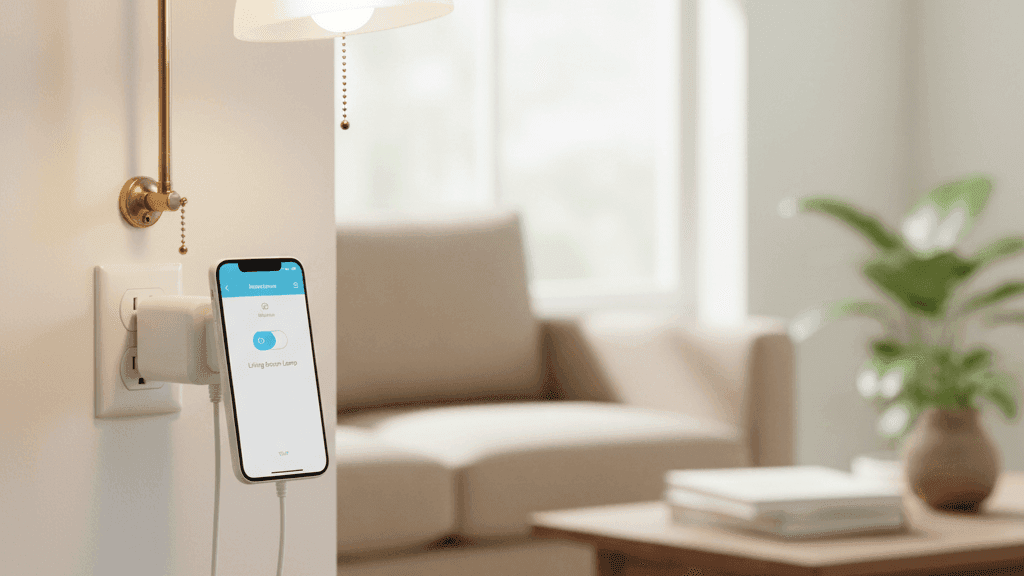
The Smart Plug: Your Secret Weapon for a Smarter Home

When I think about which single smart home purchase has given me the most value for money over the past four years, it is not my Philips Hue bulbs, which I use and love. It is not the Echo Dot, which I talk to multiple times a day. It is the first pack of smart plugs I bought, which cost about $35 for three and which I have never once considered returning or replacing.
Smart plugs are the unglamorous backbone of a practical smart home. They do not change color. They do not have a speaker. They cannot tell you the weather. What they do is take any existing device in your home and make it schedulable, remotely controllable, and usable in automations. That simple capability turns out to be useful in more situations than I had anticipated when I first bought them.
If you are trying to figure out what to add to your smart home next, or if you are just getting started and wondering where the value actually is, this is the article that argues the case for smart plugs more seriously than they usually get argued.
What a Smart Plug Actually Does
The mechanics are simple. A smart plug sits between your wall outlet and the device you plug into it. It has a wireless radio, almost always Wi-Fi, that connects it to your home network. Through the brand's app, or through a voice assistant once you have linked the account, you can switch the power to whatever is plugged in on or off remotely, set it on a schedule, or include it in broader automations.
The key requirement for a device to work well with a smart plug is that it must turn on automatically when power is supplied rather than requiring you to press a button after plugging it in. A lamp with a toggle switch that you leave in the on position will work perfectly: cut the power and the light goes off, restore it and the light comes on. An appliance that requires you to press a button on the device itself to activate it after powering on will not respond to the plug's switching in any useful way.
Most lamps, fans, simple heaters, coffee makers with filter baskets, phone chargers, and similar uncomplicated devices work exactly as you would want them to with a smart plug. Devices with digital controls that reset after a power cut, like microwaves with programmable settings, are less useful candidates.
The Situations Where I Have Found Smart Plugs Most Useful
The coffee maker scenario is the one that people respond to most enthusiastically when I describe my setup. My drip coffee maker sits on a Kasa smart plug set to switch on at 7:05 AM. I prepare the machine the night before with water and grounds, and I wake up to coffee that is already brewed and waiting. This is the kind of automation that sounds trivial until you have experienced it consistently for a few months, at which point coming back to a home where the coffee maker requires you to stand there and wait for it starts to feel genuinely backward.
The "did I leave something on" anxiety is the problem smart plugs solve most usefully. I used to have a specific low-level stress when leaving the apartment about whether I had remembered to turn off the iron, the hair straighteners, or the small heater I use in winter. I now have all three on smart plugs. My leaving home routine, which triggers automatically when my phone leaves the home Wi-Fi network, switches all of them off along with every other non-essential plug in the apartment. I have not had that leaving anxiety in over a year.
The router reboot situation is one that comes up less often but is worth knowing about. My router lives behind a piece of furniture in a spot that is genuinely awkward to reach. When it needs a reboot, which happens occasionally with any router, I used to have to move furniture. Now I can restart it from my phone in about thirty seconds by switching the smart plug off and back on after a brief pause. Small thing, but the first time you do it from across the room it feels disproportionately satisfying.
For anyone with children, the ability to cut power to specific devices on a schedule is genuinely useful. A game console or television can be set to lose power at a specific time in the evening without any argument about whether it is time to stop. The device just switches off. This creates a different kind of conversation than a parental confrontation does, and most parents I have spoken to who have tried this approach report that it works better than they expected.
Energy Monitoring: The Feature Worth Paying a Little Extra For
Standard smart plugs switch power on and off. Smart plugs with energy monitoring do that and also track how much electricity the connected device is consuming in real time and over time.
I have energy monitoring plugs on my air conditioner, my washing machine, and my desktop computer setup. What I learned from these was genuinely surprising. My air conditioner, which I had assumed was a significant electricity draw, turned out to be less impactful than expected because I was already using it fairly efficiently. My desktop setup, which I had not thought much about, was drawing considerably more in standby than I had assumed. Knowing this changed how I use the automatic shutoff schedule for that plug.
The Kasa EP25 and the TP-Link Tapo P115 both offer energy monitoring at a reasonable price premium over their non-monitoring equivalents. If you are at all curious about your household electricity usage, which is especially useful if you are trying to understand where your bill is going, energy monitoring plugs on your highest-draw devices will give you real data rather than guesses.
What to Look For When Buying
The smart plug market is crowded and the products look similar enough that it is tempting to just buy whatever is cheapest. There are a few things worth checking before you do.
Size matters more than it seems on a spec sheet. Some plugs are large enough to block the second outlet on a standard double socket. Most good plugs from established brands now have compact designs that deliberately avoid this, but it is worth looking at the product photos before buying.
Check that the plug explicitly supports your voice assistant. Virtually all mainstream smart plugs support both Alexa and Google Home, but Apple HomeKit support is less universal and worth confirming separately if you use HomeKit.
The brand's track record is worth a quick check. Kasa by TP-Link and Meross are the two brands I have had the best long-term experiences with. Both have been consistently updated, their apps have improved over time rather than been abandoned, and their devices have not randomly become incompatible after firmware updates. I have had cheaper alternatives from brands I had not heard of that worked fine initially and then became unreliable after six months. The difference in price is usually a few dollars per plug and it is worth paying.
Outdoor-rated plugs are a separate category worth knowing about if you want to control garden lighting, festive decorations, or any device that lives outside or in a damp environment. These are specifically sealed to handle weather and should not be substituted with standard indoor plugs regardless of how protected you think the location is.
Building Your First Smart Plug Automations
The simplest automation to start with is a schedule. Pick the device you most often wish you could control remotely, put it on a smart plug, and set a time for it to switch off automatically every night. Just that. Run it for a week and notice whether it makes a difference. Almost everyone who does this ends up wanting more plugs within a month.
The next step is connecting the plug to a leaving-home routine. In the Alexa or Google Home app, you can create a routine that runs when you tell the assistant you are leaving, or, with a bit more setup, when your phone leaves the home network. That routine switches off every plug you include in it. You leave once and the home tidies itself behind you.
From there, the combinations get more interesting. Motion sensors that switch on a lamp when you walk into a room. A plug that cuts power to the TV when a specific time is reached. A water heater plug that runs for exactly forty-five minutes every morning and no longer. These are all simple to configure once you have the basic understanding of how the app works, and they represent the kind of practical automation that makes a smart home useful rather than just impressive.
The three Kasa plugs I bought four years ago are still in use in my apartment. That kind of reliability is rare enough in tech that it is worth mentioning.

