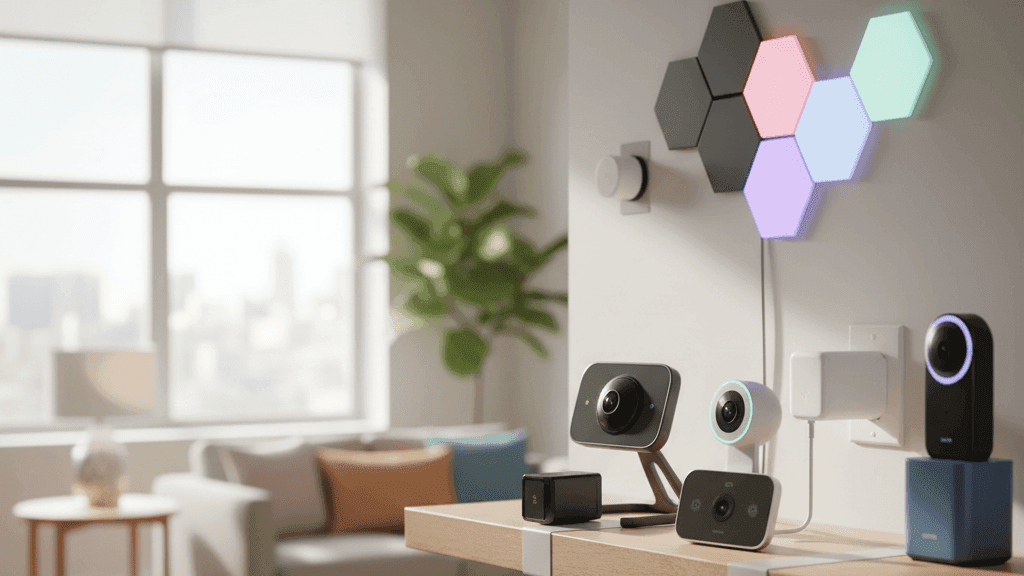
Best Smart Home Devices for Apartments and Renters (No Drilling Required)

Every rental I have lived in has come with the same implicit message: make yourself at home, but do not actually change anything. No holes in the walls, no modifications to fixtures, no adjustments to wiring. Hand the place back looking exactly as you found it or lose part of the deposit you paid to live there.
I have lived in four different rentals over the past six years and built smart home setups in all of them. Not elaborate setups, but functional ones that made each apartment meaningfully more comfortable, more secure, and easier to manage day to day. When I moved out of each one, I packed everything up and took it with me. The landlord in each case got back the apartment exactly as I received it.
The key is knowing which categories of smart home technology are genuinely renter-friendly and which ones require modifications you should not make without permission. This guide covers both, with specific recommendations for each category.
The Rules That Make Everything Else Work
Before buying anything for a rental, these constraints are worth internalising because they filter out a lot of products that will either cause problems when you move out or just are not worth buying in the first place.
Nothing permanent means no drilling, no hardwiring, no replacing existing fixtures. If installing it requires making a hole in a wall or ceiling that was not already there, it is not renter-friendly.
Everything should come with you when you move. If you are investing in smart home technology, you should be able to pack it up, move it to the next place, and reinstall it within an afternoon. Devices that are designed for a specific home configuration and cannot easily be transplanted are a poor investment for renters.
Reversible installation means adhesive mounts, command strips, tension fits, and plug-in connections. Anything that leaves behind evidence of its presence when removed is a risk to your deposit.
With those filters in place, here is what actually works across each category.
Smart Plugs: Start Here
Smart plugs are the ideal first smart home purchase for renters because they are entirely self-contained, require nothing beyond an existing outlet, move with you immediately, and make your existing appliances smarter without replacing them.
The practical applications are wider than they first appear. A lamp becomes schedulable and voice-controllable. A fan turns off automatically when you leave the apartment. A space heater runs for a timed period and cuts off automatically so you are never lying in bed wondering whether you left it on. A coffee maker starts before your alarm goes off if you prepare it the night before. A phone charger stops supplying power after a set time to avoid overnight overcharging.
Kasa by TP-Link makes the plugs I would buy for a first setup. They are reliably built, the app is genuinely good, they work with both Alexa and Google Home without a separate hub, and their compact models do not block the second outlet on a standard double socket. Energy monitoring versions tell you how much electricity each device is drawing, which is useful for understanding your electricity usage and for identifying devices that are costing more than you expected.
The investment is modest and the portability is complete. Unplug them when you move, take them with you, plug them in at the new place.
Smart Bulbs: Lighting Without Touching Fixtures
Replacing a bulb is not a modification. You unscrew the existing bulb and screw in a smart bulb in its place. When you move out, you reverse the process: unscrew your smart bulbs, screw back in the cheap bulbs from the hardware store, and nothing about the fixtures has changed.
This makes smart bulbs one of the cleanest renter-friendly smart home upgrades. Every lamp in the apartment can become schedulable, dimmable, and voice-controllable without touching any wiring or fixtures.
Wiz bulbs are my recommendation for renters on a budget who want good performance without the premium of Philips Hue. They connect directly to Wi-Fi without needing a hub, work with both Alexa and Google Home, dim smoothly, and cover a good range of color temperatures from warm evening light to cool daylight-equivalent for focus. Govee is another solid option at similar pricing.
Philips Hue is worth the premium if you plan to build a larger lighting setup and want the reliability of the established ecosystem, the broader range of accessories like motion sensors and dimmer switches, and better long-term firmware support. The Hue Bridge that the system requires is an additional upfront cost but the system as a whole is genuinely more capable than Wi-Fi-only alternatives.
One practical consideration for apartments: smart bulbs need continuous power to maintain their connection. If someone switches off the physical wall switch, the bulb loses power and cannot be controlled remotely until it is switched back on. In apartments with housemates or frequent guests, this can be a minor friction point. Switch cover plates that discourage physical switching, or moving the smart bulbs to lamps rather than ceiling fixtures where the wall switch is the primary control, both address this.
Renter-Friendly Smart Locks
Most smart locks require replacing the existing deadbolt entirely, which is both a lease violation and an impractical approach for someone who will be moving eventually. Retrofit smart locks solve this by adding smart capability to the inside of your existing deadbolt without replacing it.
The August Smart Lock is the most established retrofit option. It mounts over the interior thumb turn of your existing deadbolt using a mounting plate that attaches with screws to the lock mechanism itself. The exterior of your door looks exactly the same. Your existing keys still work in the exterior cylinder. The smart functionality lives entirely on the inside of the door, and removing it when you move out takes about ten minutes and leaves no trace.
What you gain is the ability to lock and unlock from your phone, auto-lock when you leave based on your phone's location, create guest access codes for anyone who needs to get in without giving them a physical key, see a log of when the door was unlocked and by whom, and integrate with Alexa or Google Home. If someone moves out or stops needing access, you delete their code rather than recutting a key.
The retrofit approach does have one limitation worth knowing: it requires a standard single-cylinder deadbolt, which is the most common type in apartments but worth confirming before buying. The mechanism adds some bulk to the interior of the door, which some people find aesthetically inelegant, though it has no functional impact.
Battery Video Doorbells Without Drilling
Standard video doorbells either replace your existing wired doorbell, which requires modifying the wiring, or are installed with screws into the door frame or wall, which leaves holes. Battery video doorbells with adhesive mounting avoid both of these issues.
Ring sells a no-drill mounting kit separately that uses industrial-strength adhesive strips to hold the doorbell base to the wall. Eufy's doorbell mounts have similar options. The adhesive used is strong enough to hold the device securely but can be removed with a bit of care and some gentle heat from a hairdryer when you move out without damaging the surface.
The practical trade-off with battery doorbells compared to wired ones is that you need to recharge the battery periodically, typically every one to three months depending on how busy your entrance is, and you may not have an interior chime sound when someone presses the button unless you buy a separate plug-in chime unit. For most people in apartments, phone notifications are sufficient replacement for a chime.
Eufy video doorbells specifically are worth mentioning for renters because they include local storage within the doorbell itself, meaning you get a footage history without needing to pay a cloud subscription. For a device category where the ongoing subscription cost can be as significant as the hardware cost over time, this is a meaningful advantage.
Smart Security Cameras Without Permanent Mounting
Indoor cameras for renters are entirely straightforward. Cameras with built-in stands sit on shelves, desks, and furniture without mounting anything to any surface. The Wyze Cam and the Eufy Indoor Cam both have stable stands and can be placed anywhere in a room with a clear sightline to the area you want to monitor. When you move, pick them up and put them in a box.
Outdoor cameras are more complicated. Adhesive mounting hardware works on many exterior surfaces but outdoor conditions including temperature fluctuations, moisture, and direct sun exposure are harder on adhesive than indoor conditions. Battery-powered cameras with magnetic mounts that attach to a small adhesive base are more reliable than trying to stick an entire camera mount to an exterior wall.
For balconies, patios, and railings, cameras with clamp or wrap-around mounts that attach to railing bars without adhesive or screws are worth looking for specifically. Blink cameras and some Arlo models have mounting options designed for this kind of installation.
Smart Blinds for Rental Windows
Window treatments that motorise your existing blinds without replacing them or permanently modifying anything are a relatively recent development and genuinely useful for renters.
SwitchBot's Blind Tilt is the most practical option for horizontal slat blinds. It clips onto the tilt rod of existing blinds using a clip mechanism that requires no tools and no modification to the blinds themselves. The motor tilts the slats open and closed on a schedule or via app and voice commands. It attaches with no drilling and removes cleanly.
SwitchBot Curtain is the equivalent for curtain tracks and rods. A small motor clips onto your existing curtain rod and drives the curtains open and closed. No permanent installation, fully removable.
For roller blinds, Soma makes a solar-powered motor that clips onto the existing chain or cord mechanism. The small solar panel sticks to the window glass with suction cups and keeps the battery charged from daylight, meaning no wiring and no battery management.
The practical value of smart blinds goes beyond convenience. Closing blinds on sun-facing windows during the hottest hours of a summer day reduces how hard your AC has to work. Opening blinds at sunrise lets in natural light that reduces reliance on artificial lighting. Closing them at night provides some insulation. On a schedule, these happen automatically and the energy savings are real over a summer or winter.
Temperature Management Without Touching the Thermostat
Replacing the thermostat is not an option in most rentals. But managing room-level temperature still is, through the combination of approaches covered in more detail in the article on smart thermostat alternatives for renters.
The short version for a renter-friendly setup: a smart IR controller on any split AC or heat pump unit gives you scheduling and remote control without touching the building's wiring. A smart plug on any portable heater or fan gives you automated control of supplemental temperature management. Temperature sensors from Govee or Aqara give you real data about actual room conditions rather than guessing.
None of these require any landlord permission. All of them pack up and move with you.
Water Leak Sensors: The Underrated Investment
This is the category that most people skip and the one I would most want renters to reconsider.
Water damage in a rental creates complicated situations around liability and deposit disputes even when the damage is clearly caused by a building fault rather than tenant behaviour. Having a time-stamped record of when water appeared and an immediate notification that let you respond quickly is genuinely useful protection.
Govee water sensors are small pucks that cost very little, run on batteries, and send immediate push notifications to your phone when they detect moisture. Place one under every sink, behind every toilet, and near the washing machine connection if you have one. They require no installation, just placement on the floor or surface where water would accumulate if a leak started.
The investment required is modest. The scenario where you find out about a slow leak four days after it started, versus the scenario where you get a notification within minutes, is worth taking seriously.
Moving Out: How the Pack-Up Actually Works
The appeal of a renter-friendly smart home setup is not just that you can build one without violating your lease. It is also that you take everything with you when you leave.
Smart plugs unplug. Smart bulbs unscrew. The August lock comes off in about ten minutes. The video doorbell adhesive mount releases with a hairdryer. Cameras with stands go in a box. Blind motors unclip. Sensors peel or lift off flat surfaces.
The full uninstallation of a typical renter smart home setup, the kind described in this article, takes somewhere between thirty minutes and an hour. You move into the next place and reinstall everything in a similar amount of time. The investment in the devices carries over completely from one home to the next.
That portability is the reason building a smart home as a renter is worth the effort. You are not paying to improve someone else's property. You are building something you own that improves every place you live.
I have moved three times with a full smart home setup. The record uninstallation time was forty minutes. The re-installation at the new place took slightly longer because I spent some time deciding where to put things.
